Examples and Tutorials
This page provides working examples for common MGT-python tasks.
Basic Examples
Example 1: Simple Motion Analysis
import musicalgestures as mg

mv = mg.MgVideo(mg.examples.dance)

# motion() returns an MgVideo pointing to the rendered motion video
motion_video = mv.motion()
motion_video.show()

# The motion data CSV is saved alongside the video
import os, pandas as pd
csv_path = os.path.splitext(motion_video.filename)[0] + '.csv'
df = pd.read_csv(csv_path)
print(df.head())
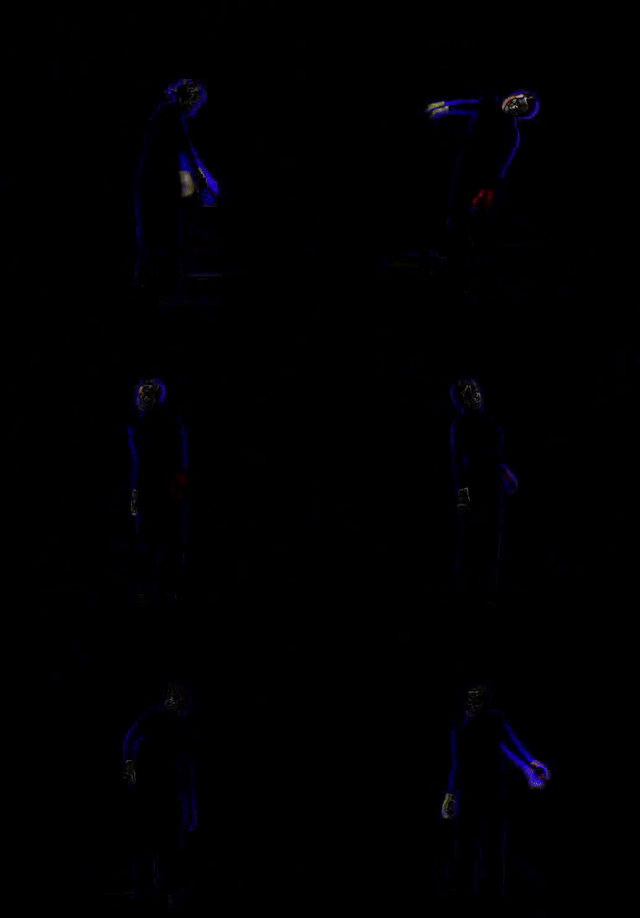
The motion video the example produces.
Example 2: Audio–Video Analysis
import musicalgestures as mg

mv = mg.MgVideo(mg.examples.pianist)

# Video visualizations
motiongrams = mv.motiongrams()   # MgList: [vertical MgImage, horizontal MgImage]
average_img = mv.average()       # MgImage: pixel average of all frames

motiongrams[0].show()   # x-motiongram
motiongrams[1].show()   # y-motiongram
average_img.show()

# Audio analysis
waveform = mv.audio.waveform()
spectrogram = mv.audio.spectrogram()
descriptors = mv.audio.descriptors()
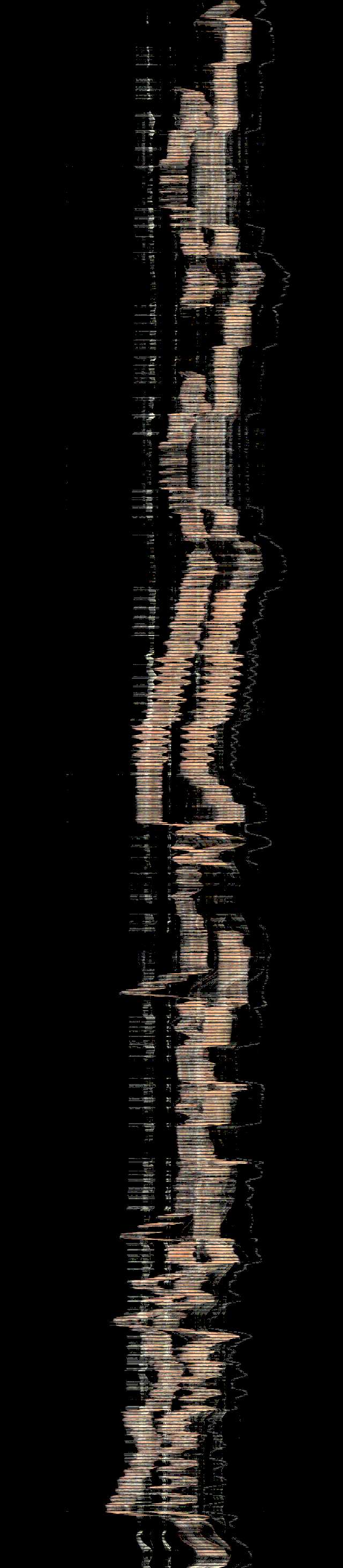
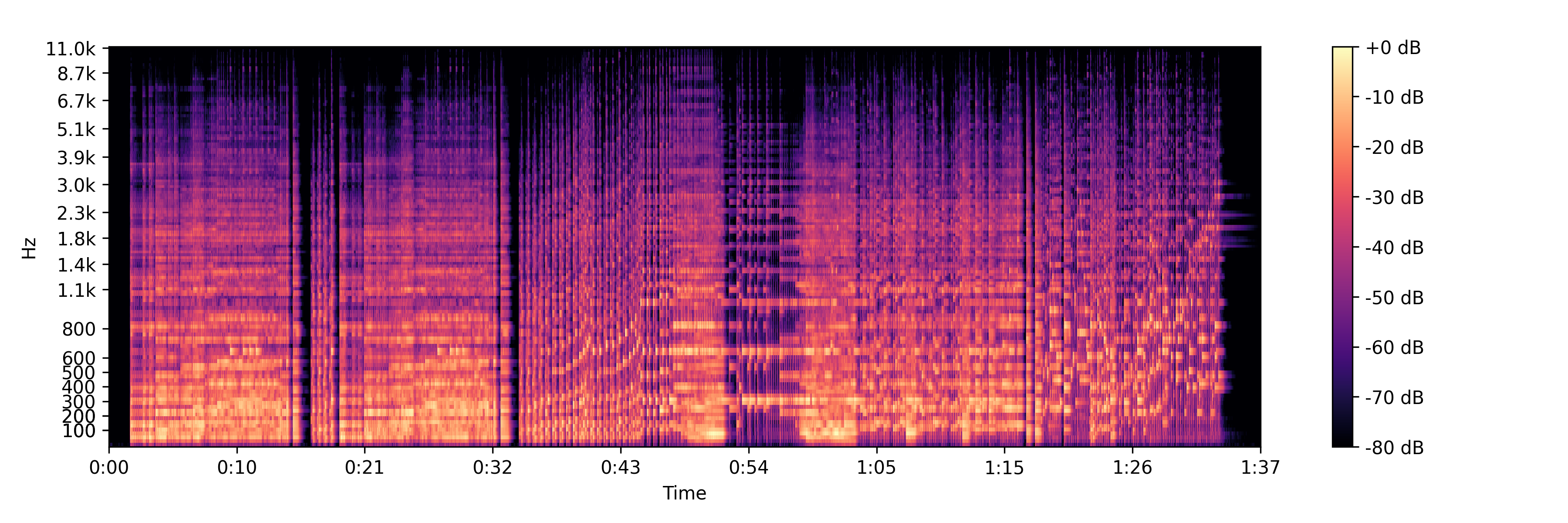
The pianist's x-motiongram, and the spectrogram from the same file.
Advanced Examples
Example 3: Custom Video Preprocessing
import musicalgestures as mg

mv = mg.MgVideo(
    mg.examples.dance,
    starttime=5.0,        # start at 5 seconds
    endtime=25.0,         # end at 25 seconds
    color=False,          # grayscale
    contrast=30,          # contrast adjustment (-100 to 100)
    brightness=10,        # brightness adjustment (-100 to 100)
    filtertype='Regular', # motion filter: 'Regular', 'Binary', or 'Blob'
    threshold=0.05,       # motion pixel threshold (0–1)
    skip=2,               # keep every 3rd frame
    rotate=10,            # rotate 10 degrees
)

motion_video = mv.motion()
motiongrams = mv.motiongrams()

print(f"Duration: {mv.duration:.2f}s at {mv.fps} fps")
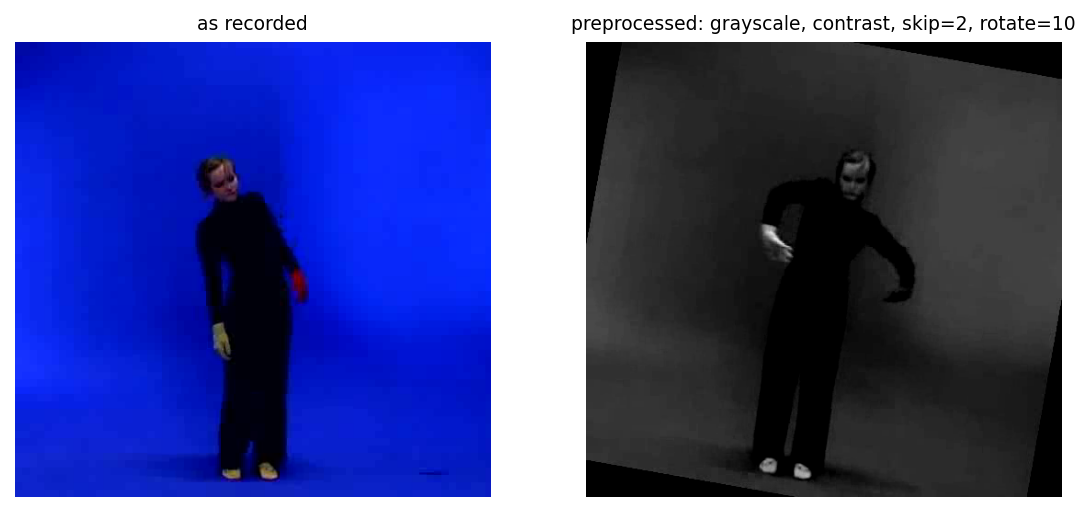
The same frame as recorded and after the preprocessing chain.
Example 4: Batch Processing Multiple Videos
import musicalgestures as mg
import glob

def analyze_video_batch(video_pattern):
    video_files = glob.glob(video_pattern)
    results = []

    for video_file in video_files:
        print(f"Processing: {video_file}")
        try:
            mv = mg.MgVideo(video_file)
            motion_video = mv.motion()
            motiongrams = mv.motiongrams()
            results.append({'video': video_file, 'motion': motion_video, 'success': True})
        except Exception as e:
            print(f"Error processing {video_file}: {e}")
            results.append({'video': video_file, 'error': str(e), 'success': False})

    return results

# results = analyze_video_batch('videos/*.mp4')
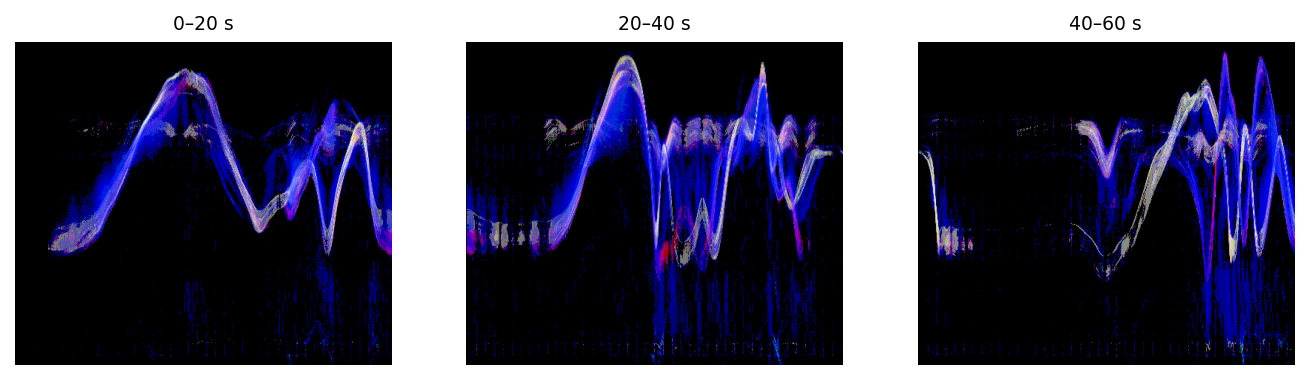
The same call over three clips: one motiongram each.
Example 5: Detailed Audio Analysis
import musicalgestures as mg

mv = mg.MgVideo(mg.examples.pianist)
audio = mv.audio

waveform = audio.waveform(dpi=300)
spectrogram = audio.spectrogram()
tempogram = audio.tempogram()
hpss_fig = audio.hpss()
ssm_figure = audio.ssm(features='spectrogram')
descriptors = audio.descriptors()

# MgFigure objects: access the underlying matplotlib figure via .figure
spectrogram.show()
spectrogram.figure   # matplotlib Figure
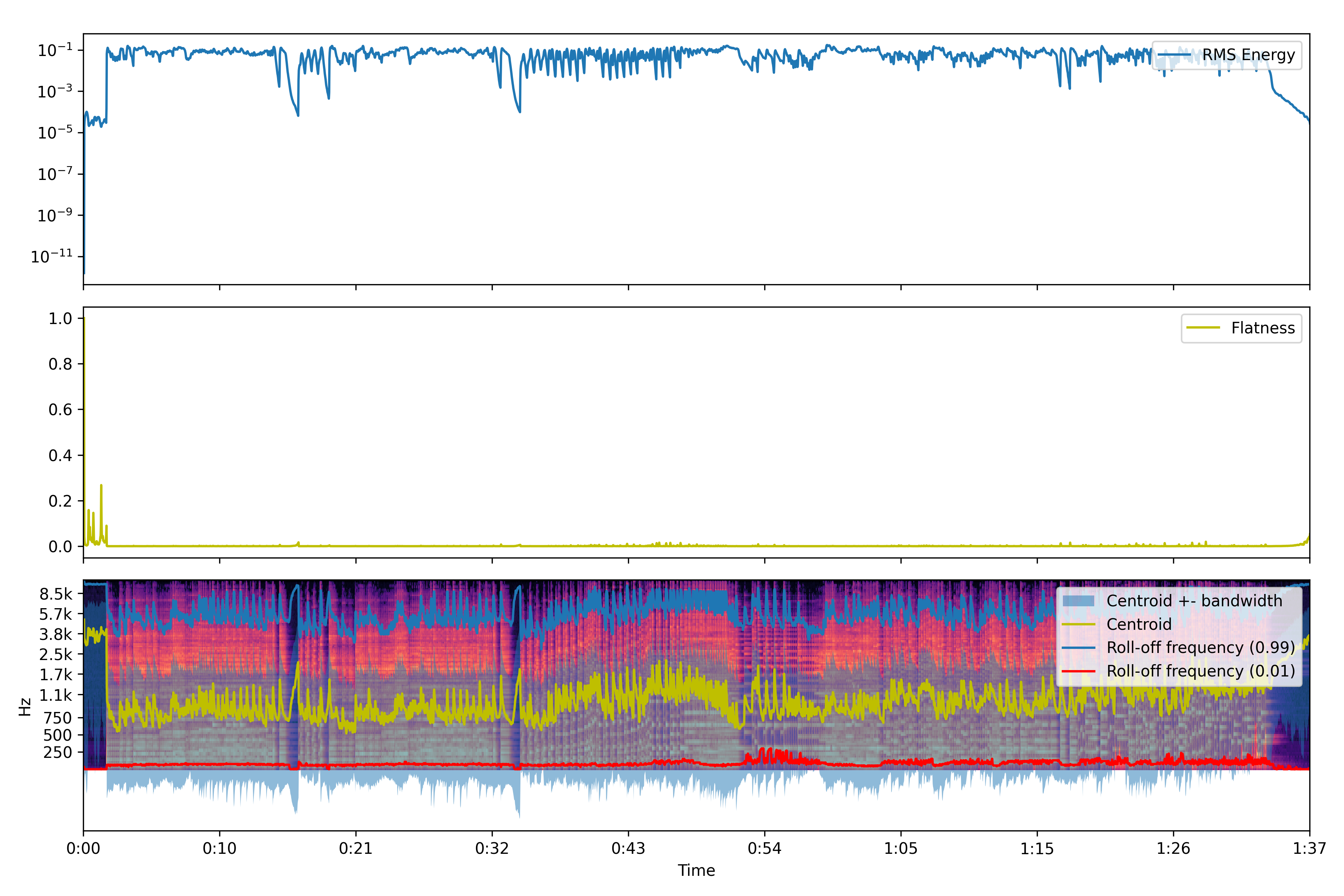
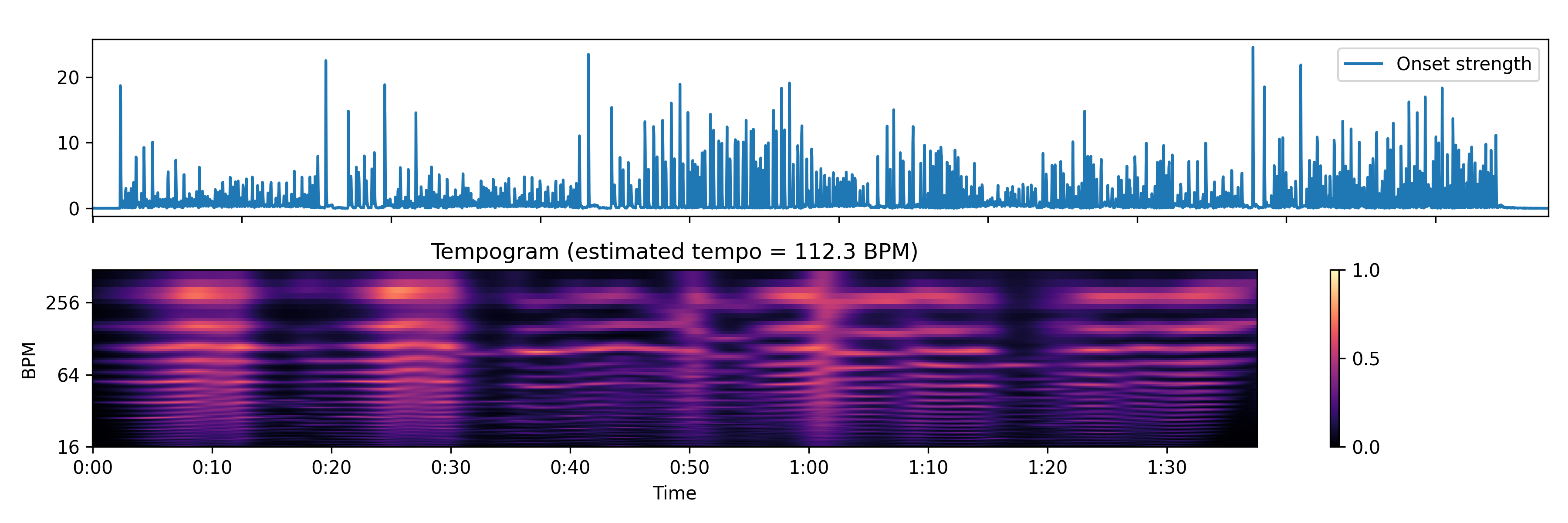
The pianist's audio descriptors, and the tempogram from the same file.
Example 6: Pose Estimation
import musicalgestures as mg

mv = mg.MgVideo(mg.examples.dance)

# Pose estimation — defaults to the MediaPipe backend (33 landmarks, fast on
# plain CPU, no CUDA-enabled OpenCV build required). Downloads model weights on
# first use; device='gpu' falls back to CPU if unavailable.
try:
    pose_video = mv.pose()
    pose_video.show()

    # OpenPose models ('body_25', 'coco', 'mpi') support multi-person analysis
    # but are slow without a CUDA-enabled OpenCV build:
    pose_video = mv.pose(model='coco', device='cpu', downsampling_factor=4)
except Exception as e:
    print(f"Pose estimation failed: {e}")
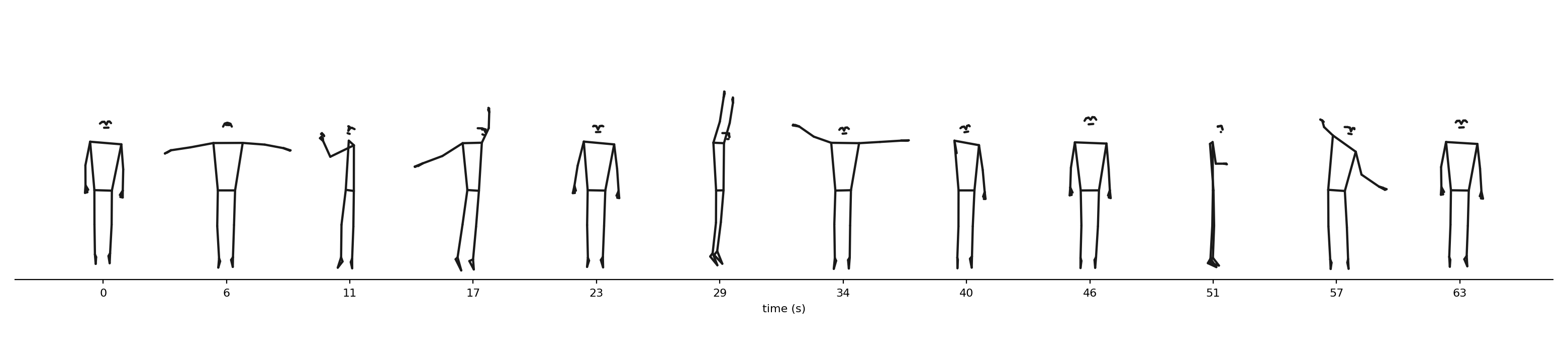
Postures from the pose pipeline, as a timeline strip.
Example 7: Optical Flow
import musicalgestures as mg

mv = mg.MgVideo(mg.examples.dance)

# Dense optical flow — colors encode direction, brightness encodes speed
flow_dense = mv.flow.dense()
flow_dense.show()

# Sparse optical flow — tracks a set of feature points
flow_sparse = mv.flow.sparse()
flow_sparse.show()

# Dense flow with velocity measurement (requires real-world camera parameters)
velocity = mv.flow.dense(velocity=True, distance=3.5, angle_of_view=80)
xvel = velocity.data['xvel']
yvel = velocity.data['yvel']
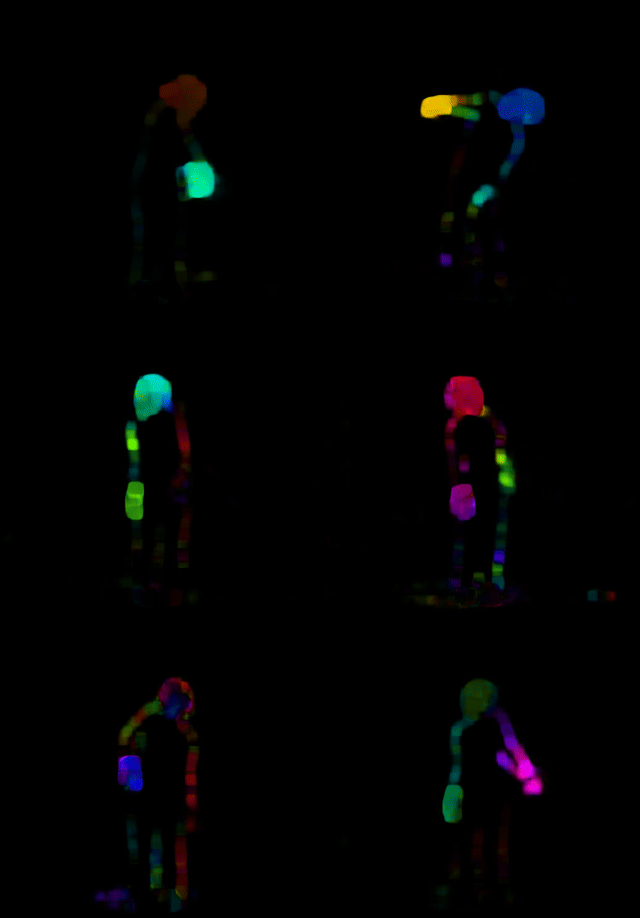
Dense optical flow of the dancer.
Example 8: Custom Visualisation Parameters
import musicalgestures as mg

mv = mg.MgVideo(mg.examples.pianist)

# Motiongrams with custom filter settings
motiongrams = mv.motiongrams(
    filtertype='Regular',
    threshold=0.1,
    blur='Average',
    use_median=True,
)

# History video (overlay of the last N frames on the current frame)
history = mv.history(history_length=60, normalize=True)

# Average image of all frames
average_img = mv.average()

motiongrams.show()
history.show()
average_img.show()

The pianist's y-motiongram under the custom settings.
Example 8b: Resampling (frame rate and speed)
import musicalgestures as mg

mv = mg.MgVideo(mg.examples.dance)

# resample() returns a NEW MgVideo; the original mv is untouched
mv25 = mv.resample(fps=25)        # retime to 25 fps (duration-preserving)
fast = mv.resample(speed=2.0)     # 2× faster — video and audio retimed in sync
dec  = mv.resample(skip=2)        # discard 2 frames for every one kept

mv25.show()
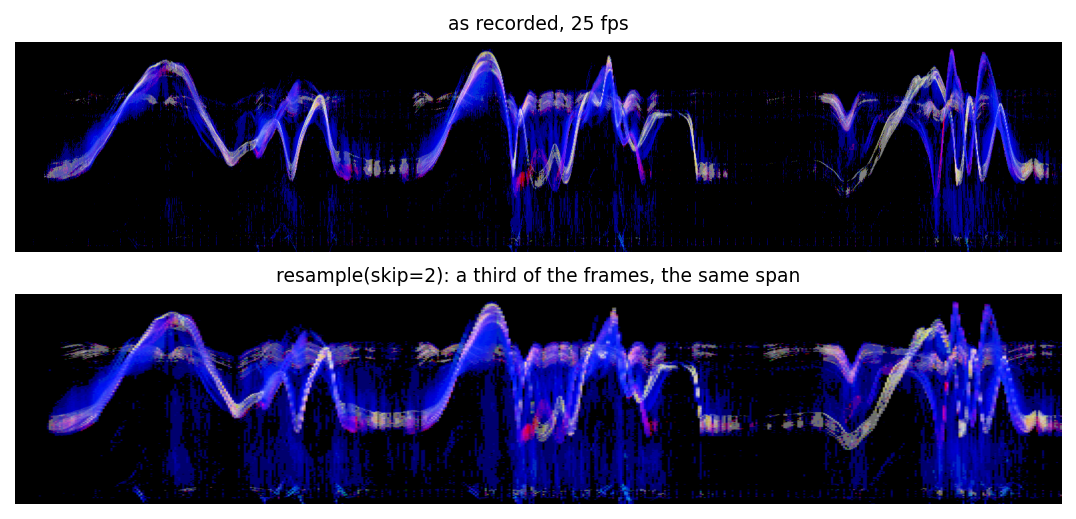
The same recording's motiongram before and after resample(skip=2).
Example: Motion descriptors
import musicalgestures as mg
mv = mg.MgVideo(mg.examples.dance)
md = mv.motiondescriptors()                 # returns MgFigure
print(md.data['motion_energy'], md.data['motion_smoothness'])
print(md.data['motion_entropy'], md.data['dominant_freq'])
md.show()                                    # QoM time series + power spectrum
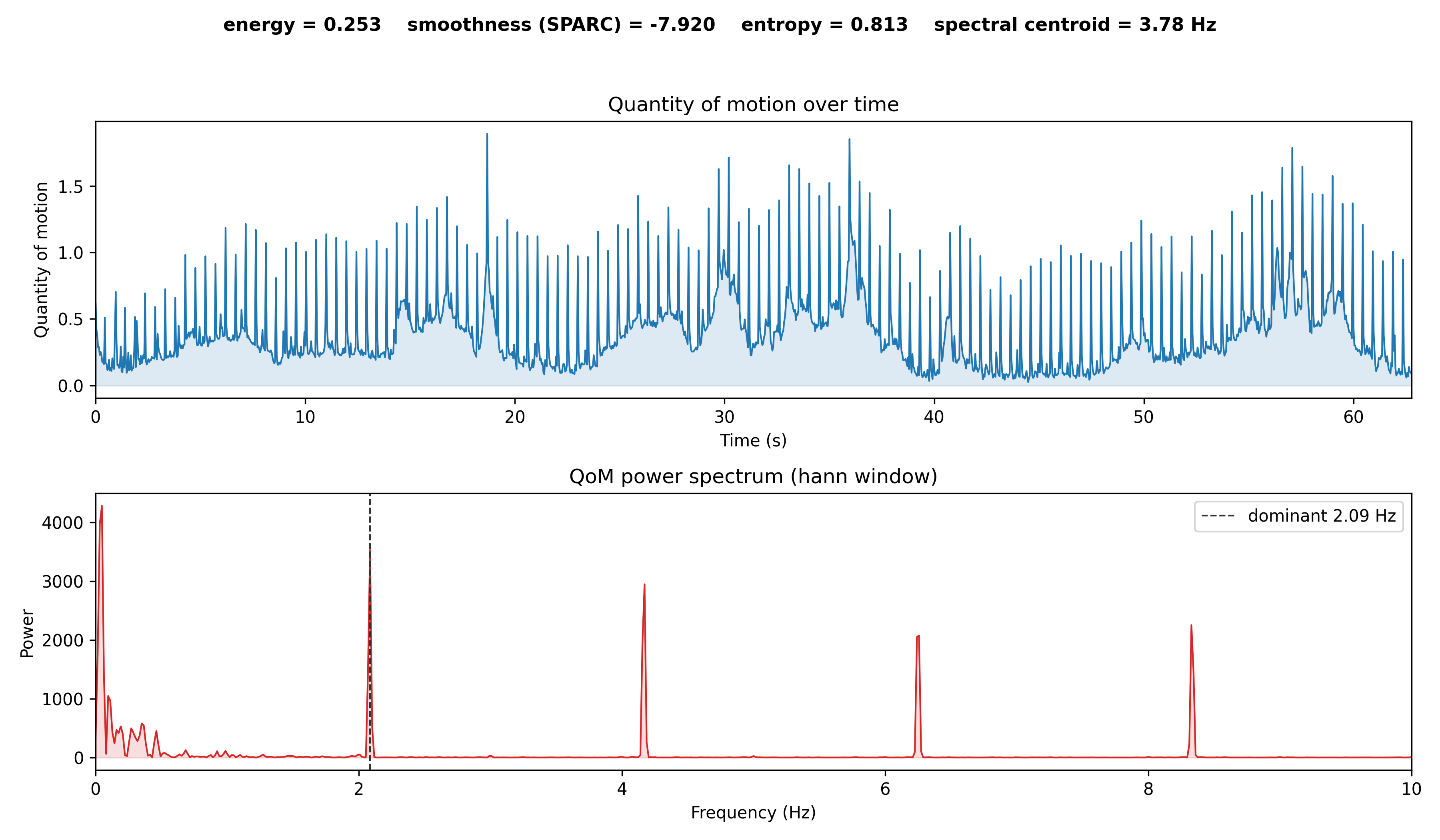
Example 8c: Pose waterfall and segment statistics
import musicalgestures as mg

mv = mg.MgVideo(mg.examples.dance)

# 3D spatio-temporal waterfall of the pose markers
mv.pose_waterfall(style='trajectories').show()
mv.pose_waterfall(style='skeleton', crop=True).show()   # tight, clean render

# Circular statistics per body segment (bone between two joints)
seg = mv.pose_segments()          # reuses cached pose keypoints if available
seg.show()
print(seg.data['stats'])          # mean angle, R, circular std, ROM, angular speed
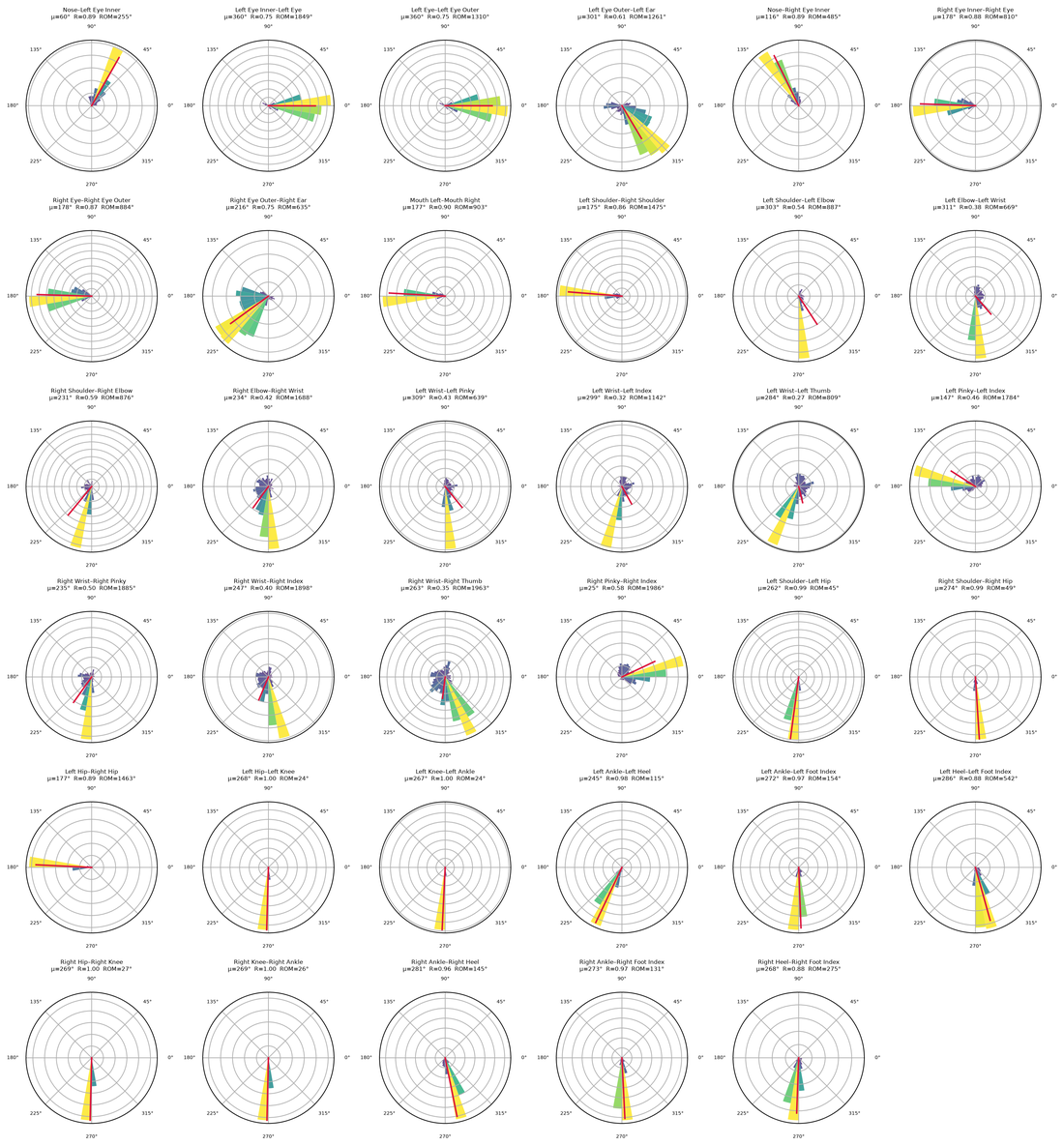
Example 8d: Audio–motion analysis
import musicalgestures as mg

mv = mg.MgVideo(mg.examples.dance)   # needs an audio track

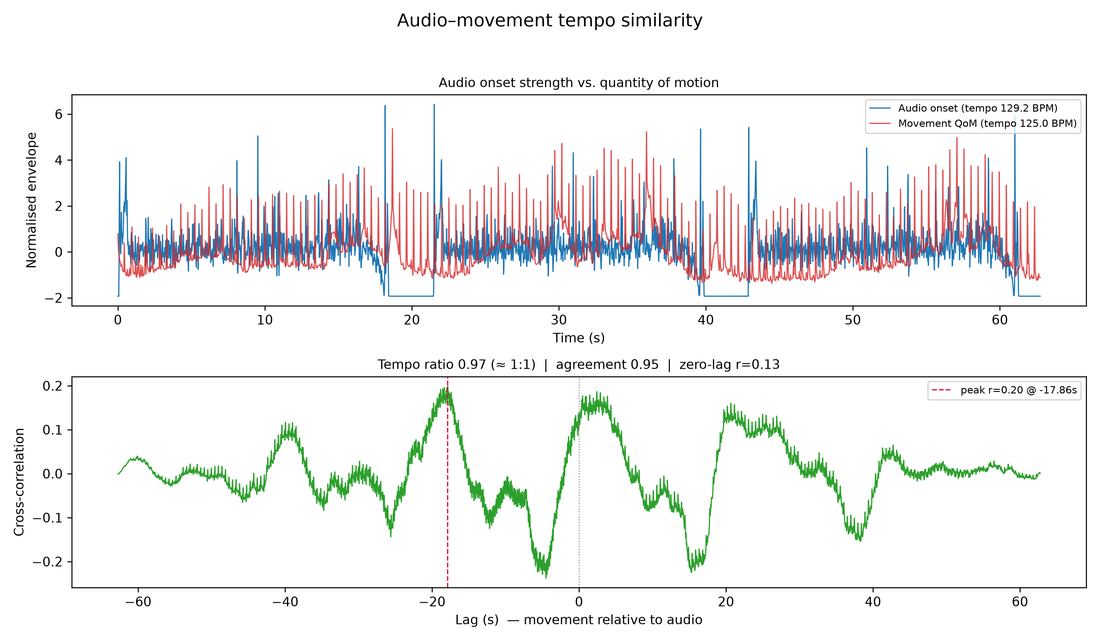
# Compare audio tempo vs. motion tempo
ts = mv.tempo_similarity()
ts.show()
print(ts.data['audio_tempo_bpm'], ts.data['motion_tempo_bpm'])

# The rest of the audio–motion suite
mv.phase_synchrony().show()       # phase-locking value (PLV)
mv.structure_comparison().show()  # audio SSM vs. video SSM
mv.motion_audio_coupling().show()   # which body parts track the music
mv.dynamics_coupling().show()     # RMS level vs. quantity of motion
Example 12b: Sound–movement toolkit (pulse segmentation)
The sound–movement analysis toolkit is a set of
plain-numpy functions (not MgVideo/MgAudio methods) ported from the author's ro /
stillstanding / Westney / cymbal studies. They operate on arrays, so no video file is needed
for this example, since a list of stroke onset times is enough:
import numpy as np
from musicalgestures import segment_cycles, cycle_table, fit_accelerando

# Onset times (s) of an accelerating sequence of double strokes
onsets = np.array([0.10, 0.34, 1.02, 1.24, 1.85, 2.02, 2.55, 2.68, 3.05, 3.15])

cycles = segment_cycles(onsets)                  # -> list[Cycle], grouped by DP over stroke gaps
table = cycle_table(cycles, clip_id='demo')       # per-cycle DataFrame (t, ioi, n_strokes, ...)
ioi0, t_double, r2 = fit_accelerando(table['t'], table['ioi'])

print(table)
print(f"tempo doubles every {t_double:.2f}s (R²={r2:.2f})")
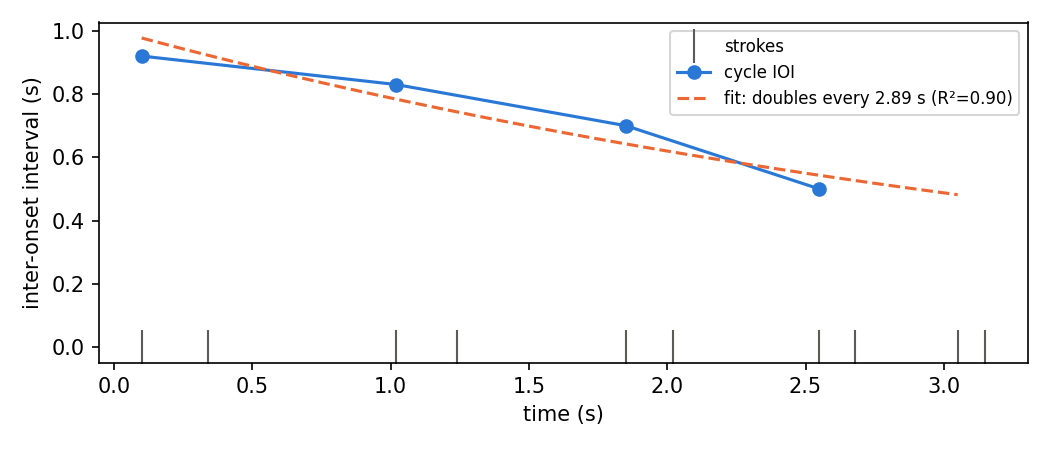
The example's strokes, cycle intervals and fitted accelerando.
See the toolkit's user guide for the quantity-of-motion, alignment, posturography, physiology, mocap-I/O and pose-trajectory function families.
Research Examples
Example 9: Motion Feature Extraction
import musicalgestures as mg
import pandas as pd
import os

def extract_motion_features(video_path):
    mv = mg.MgVideo(video_path)
    motion_video = mv.motion()

    # CSV columns: Time (ms), Qom, ComX, ComY, AomX1, AomY1, AomX2, AomY2
    csv_path = os.path.splitext(motion_video.filename)[0] + '.csv'
    df = pd.read_csv(csv_path)

    features = {
        'total_qom':   df['Qom'].sum(),
        'avg_qom':     df['Qom'].mean(),
        'peak_qom':    df['Qom'].max(),
        'qom_std':     df['Qom'].std(),
        'com_x_range': df['ComX'].max() - df['ComX'].min(),
        'com_y_range': df['ComY'].max() - df['ComY'].min(),
    }
    return features

features = extract_motion_features(mg.examples.dance)
for key, value in features.items():
    print(f"{key}: {value:.4f}")
Motion descriptors of the dancer.
Example 10: Comparative Motion Analysis
import musicalgestures as mg
import pandas as pd
import matplotlib.pyplot as plt
import os

def load_motion_csv(motion_video):
    csv_path = os.path.splitext(motion_video.filename)[0] + '.csv'
    return pd.read_csv(csv_path)

mv1 = mg.MgVideo(mg.examples.dance)
mv2 = mg.MgVideo(mg.examples.pianist)

df1 = load_motion_csv(mv1.motion())
df2 = load_motion_csv(mv2.motion())

fig, axes = plt.subplots(1, 2, figsize=(12, 4))

axes[0].plot(df1['Time'], df1['Qom'], label='Dance')
axes[0].plot(df2['Time'], df2['Qom'], label='Pianist')
axes[0].set_title('Quantity of Motion')
axes[0].set_xlabel('Time (ms)')
axes[0].legend()

axes[1].plot(df1['Time'], df1['ComX'], label='Dance')
axes[1].plot(df2['Time'], df2['ComX'], label='Pianist')
axes[1].set_title('Centroid X')
axes[1].set_xlabel('Time (ms)')
axes[1].legend()

plt.tight_layout()
plt.savefig('comparison.png', dpi=150)
plt.show()
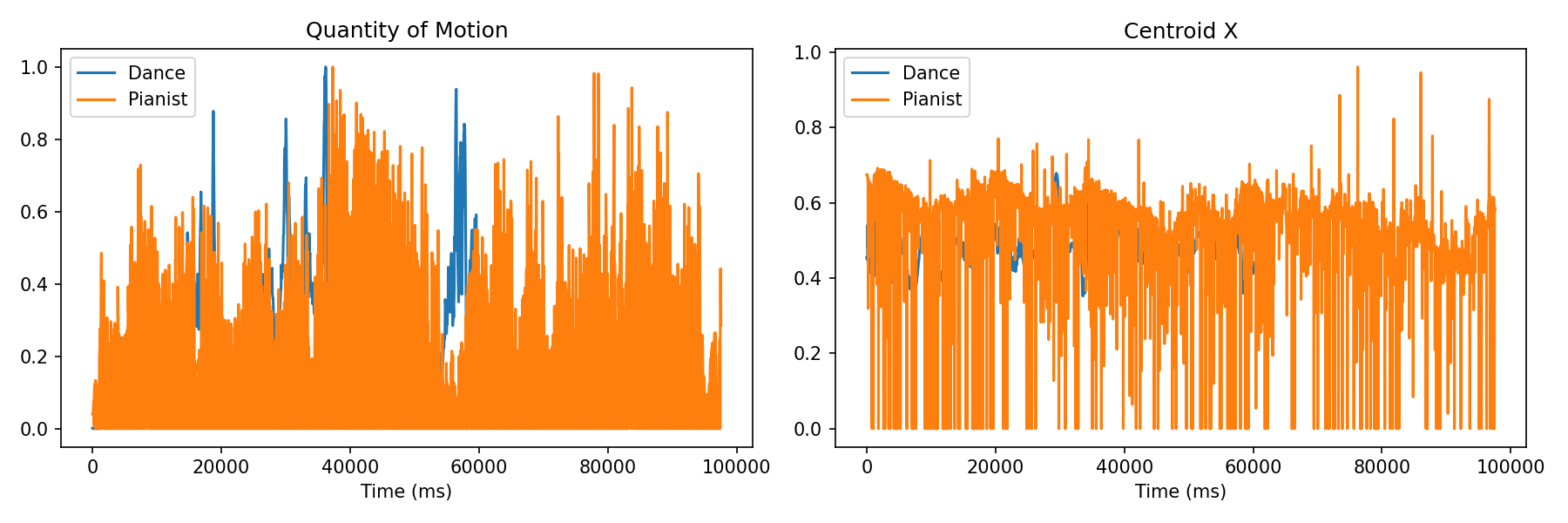
The comparison figure the example saves.
Example 11: Stacking Figures with MgList
import musicalgestures as mg

mv = mg.MgVideo(mg.examples.pianist)

# Each analysis returns an MgFigure or MgList
spectrogram = mv.audio.spectrogram(title='Spectrogram')
tempogram = mv.audio.tempogram(title='Tempogram')
descriptors = mv.audio.descriptors(title='Descriptors')

# motiongrams() returns MgList — index 0 is horizontal, 1 is vertical
motiongrams = mv.motiongrams()

# Combine into a single stacked time-aligned figure
combined = mg.MgList(motiongrams[0], spectrogram, tempogram)
fig = combined.as_figure(title='Motion and Audio Analysis')
fig.show()
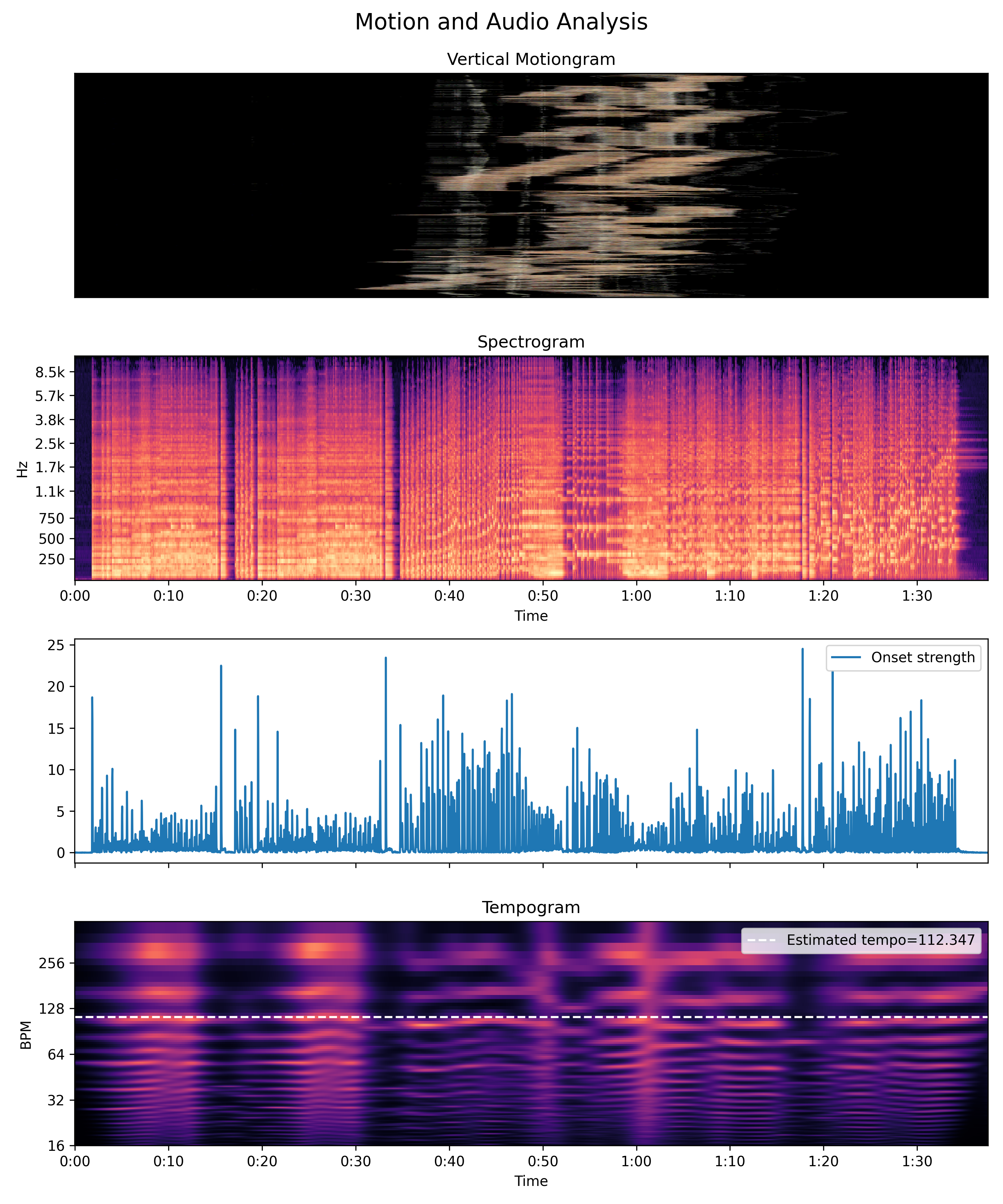
The stacked, time-aligned figure MgList builds.
Example 12: Method Chaining
import musicalgestures as mg

# Each method returns its result, enabling chaining
mg.MgVideo(mg.examples.dance, skip=4).motion().show()

# Chain motion → history → show
mg.MgVideo(mg.examples.dance, skip=3).motionvideo().history(normalize=True).show()

# Chain motion → average image → show
mg.MgVideo(mg.examples.dance, skip=15).motionvideo().average().show()
The chained call ends in the same motion video.
Gallery
A visual tour of the outputs produced by the methods above. Each image was rendered from one of the bundled example clips (mg.examples.dance or mg.examples.pianist).
Motion
Motion video
mv.motion()—frame-difference motion video.
y-motiongram
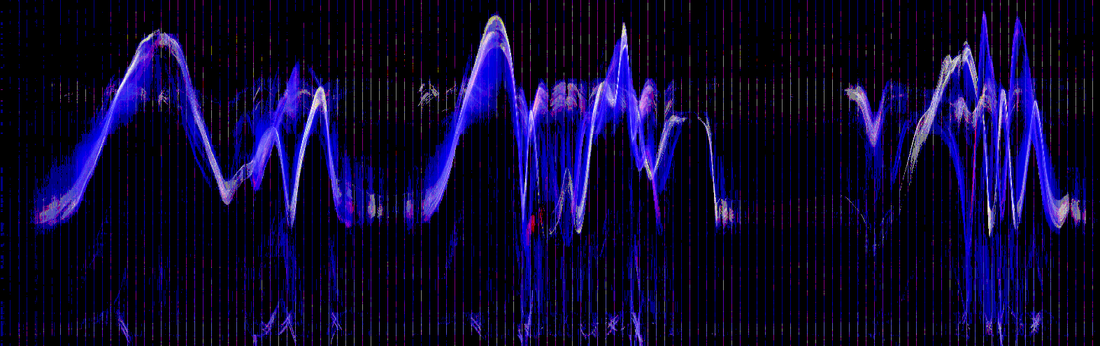
mv.motiongrams()[1]—motion collapsed over rows, time on the x-axis.
x-motiongram
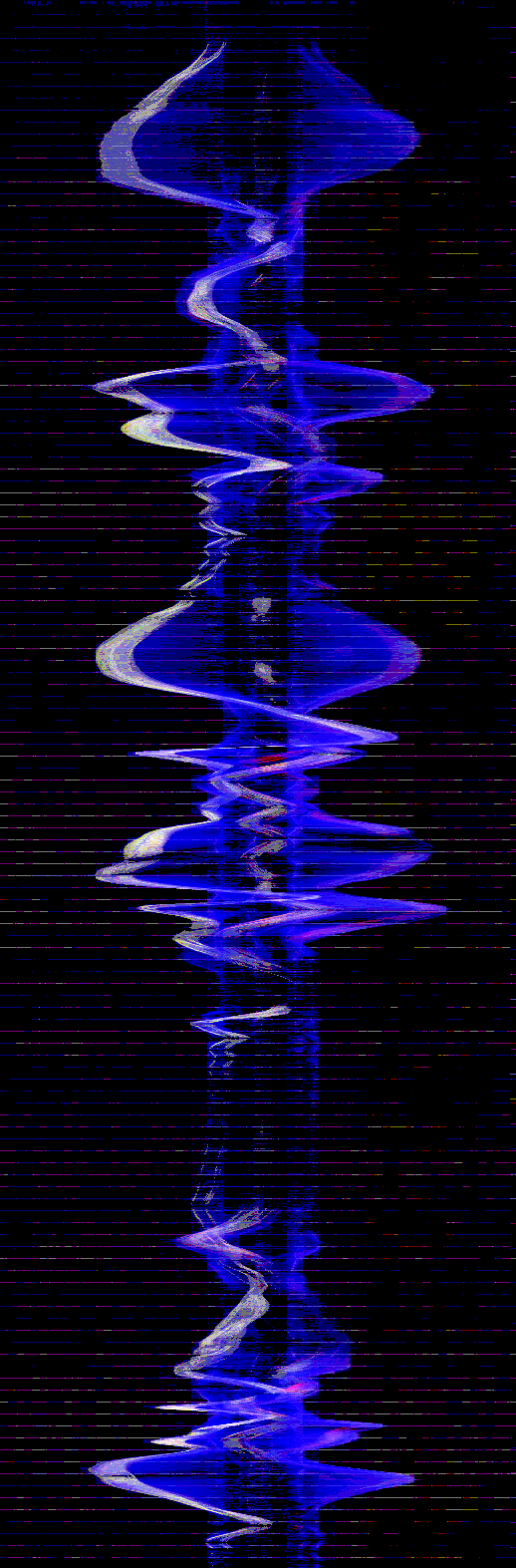
mv.motiongrams()[0]—motion collapsed over columns, time on the y-axis.
Motion history
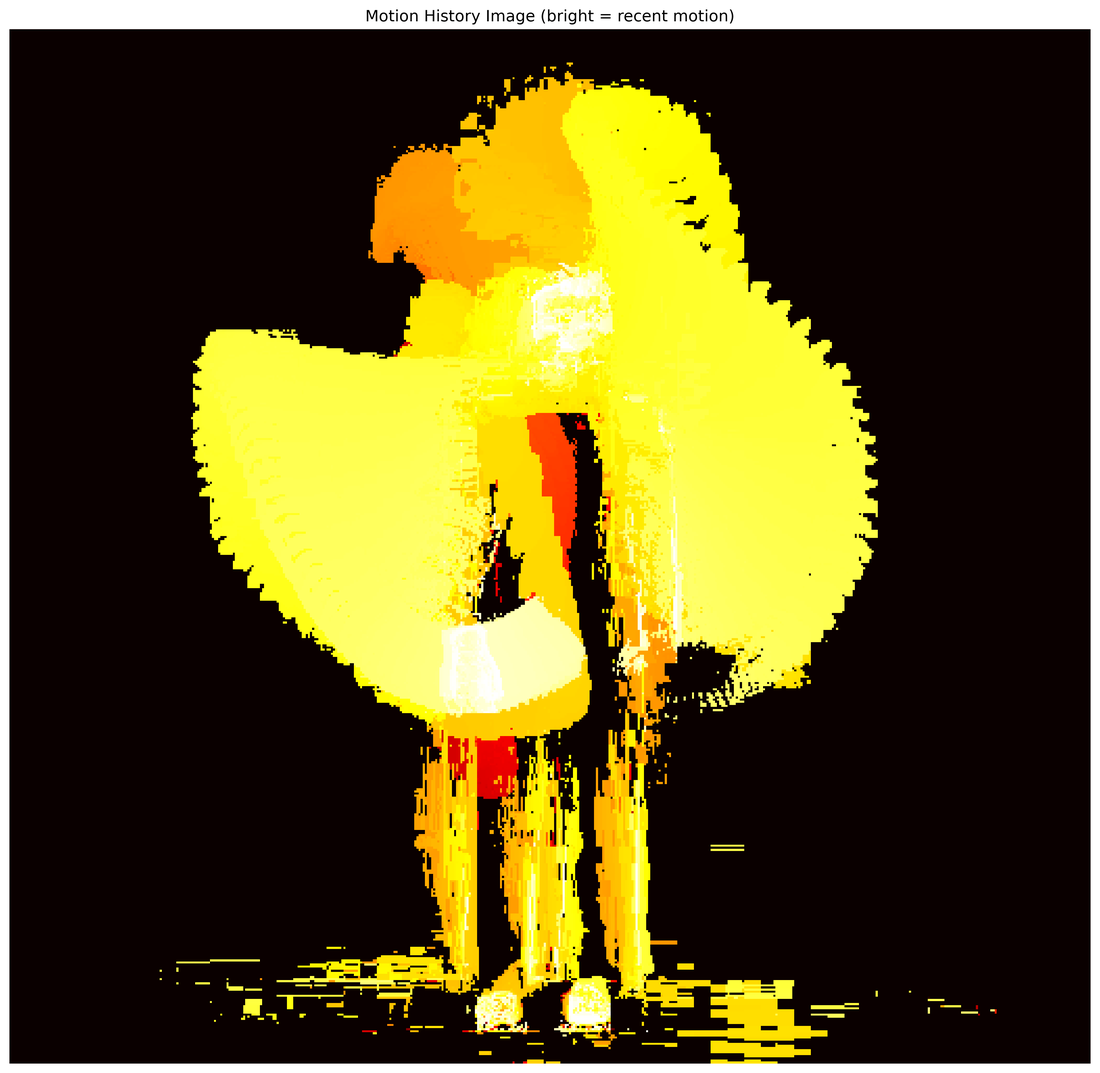
mv.motionhistory()—accumulated motion trails in a single image.
Motion heatmap
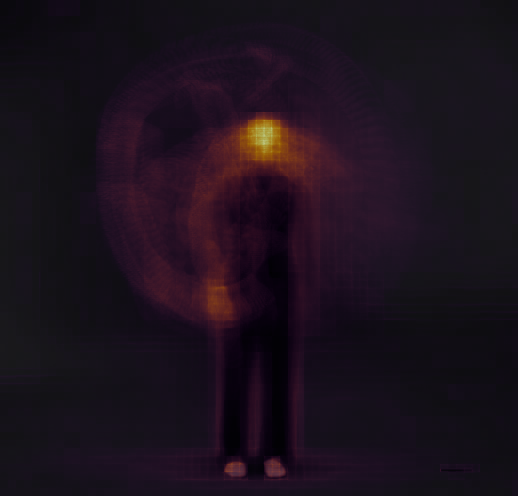
Spatial distribution of where motion occurs across the clip.
Average image
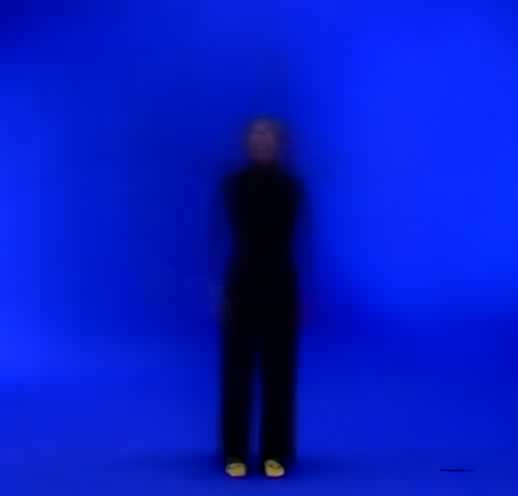
mv.average()—pixel-wise average of all frames.
History video
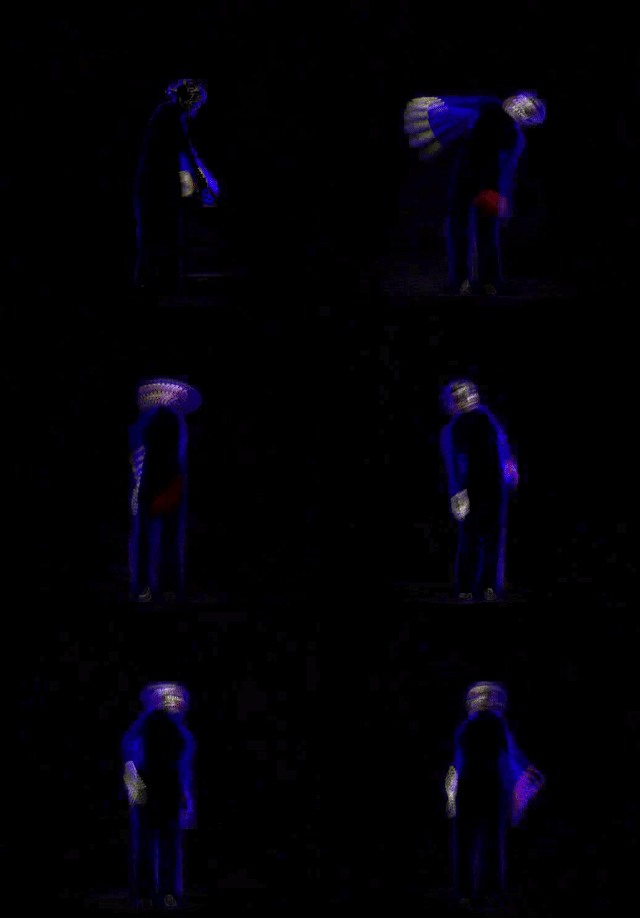
mv.history()—recent frames overlaid on the current frame.
Motion descriptors
mv.motiondescriptors()—quantity-of-motion time series and its power spectrum.
Motion tempo
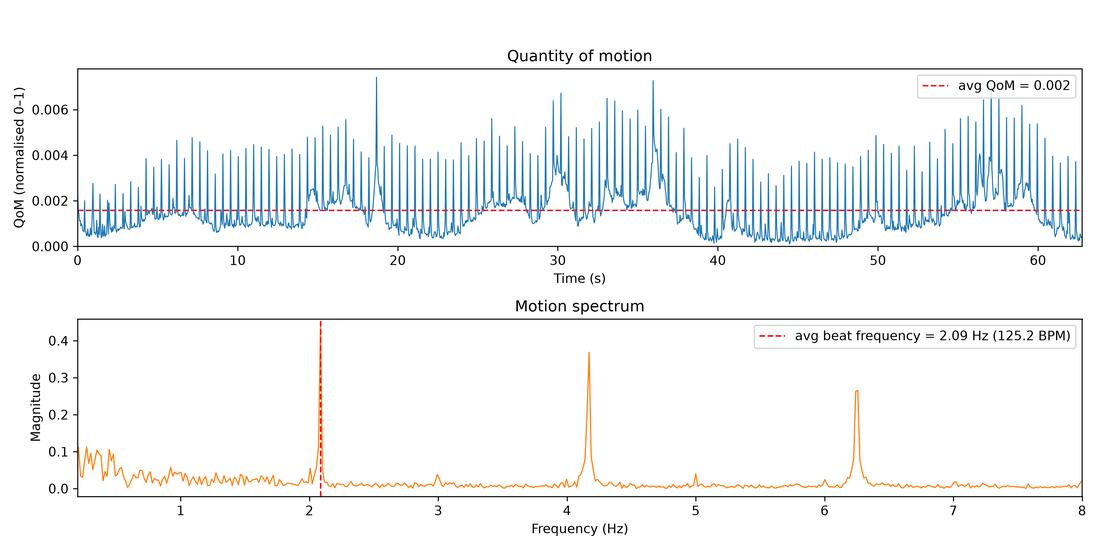
Periodicity of the motion signal over time.
Space-time
Stroboscope
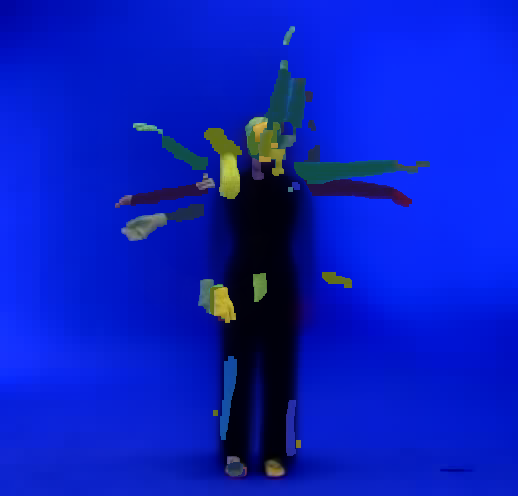
Multishot build-up — multishot(animate=True)
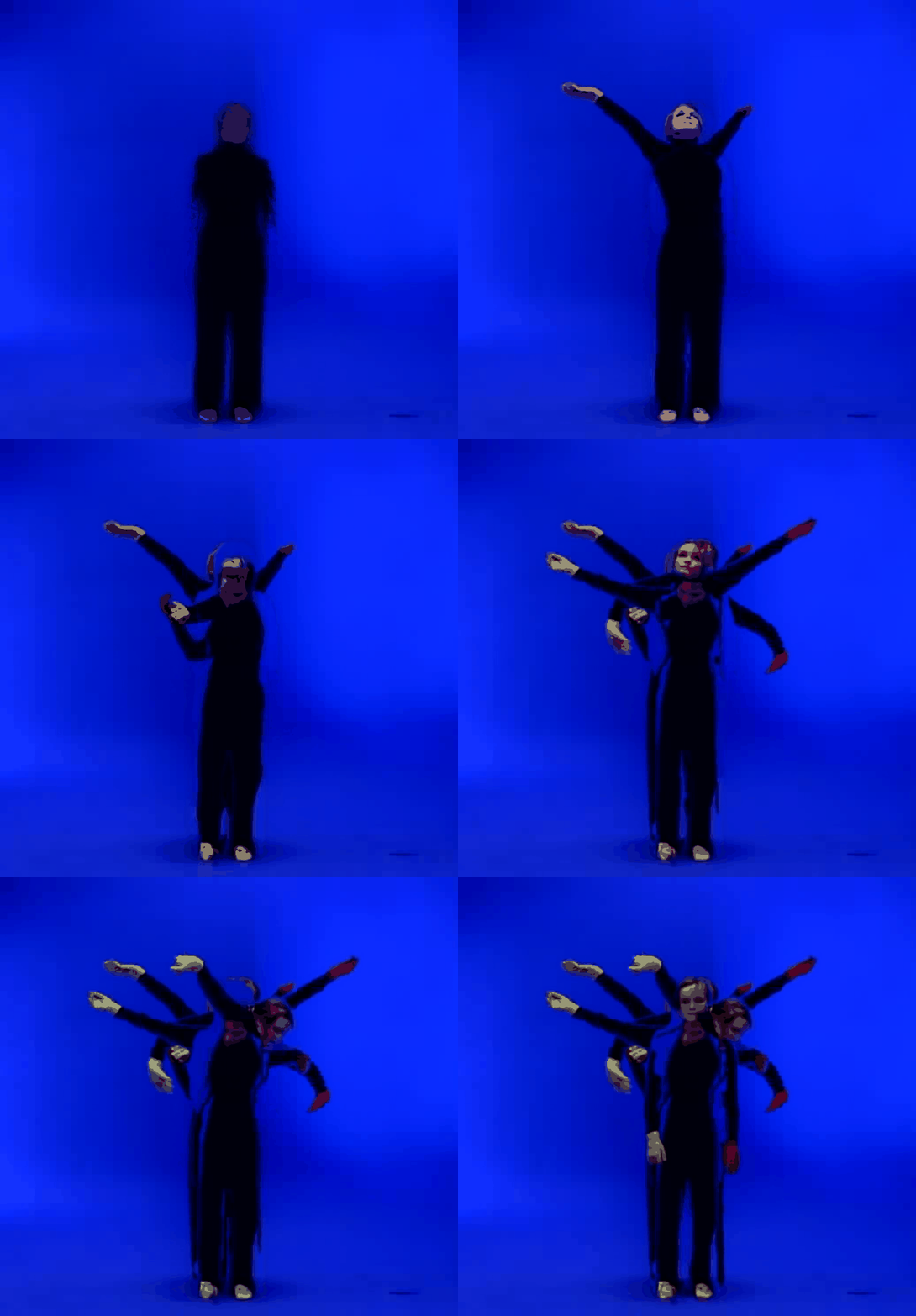
mv.stroboscope()—successive poses superimposed in one frame.
Silhouette waterfall
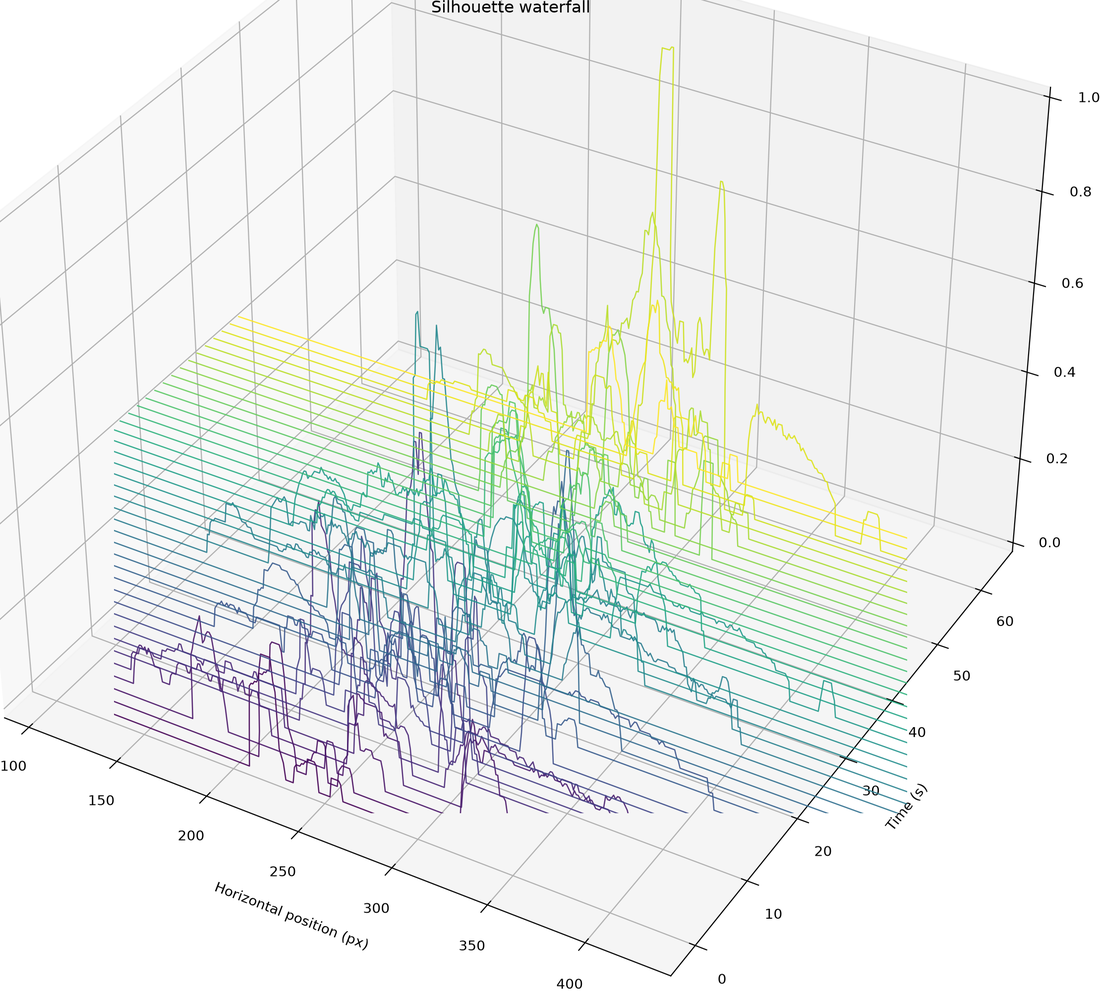
Stacked silhouettes revealing the body's path through time.
Motion vectors & optical flow
Motion vectors
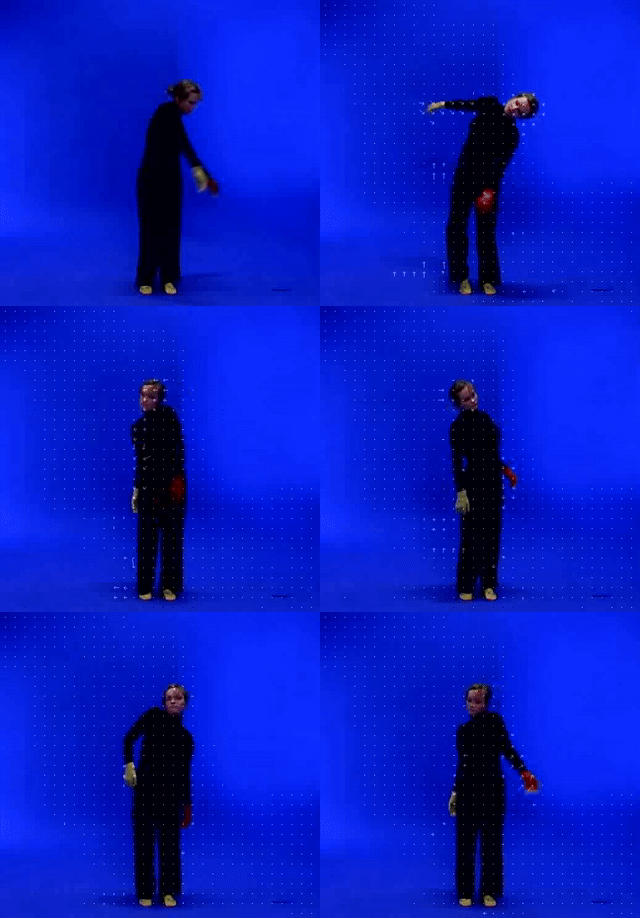
mv.motionvectors()—block motion vectors overlaid on the video.
Dense optical flow
mv.flow.dense()—colour encodes direction, brightness encodes speed.
Sparse optical flow
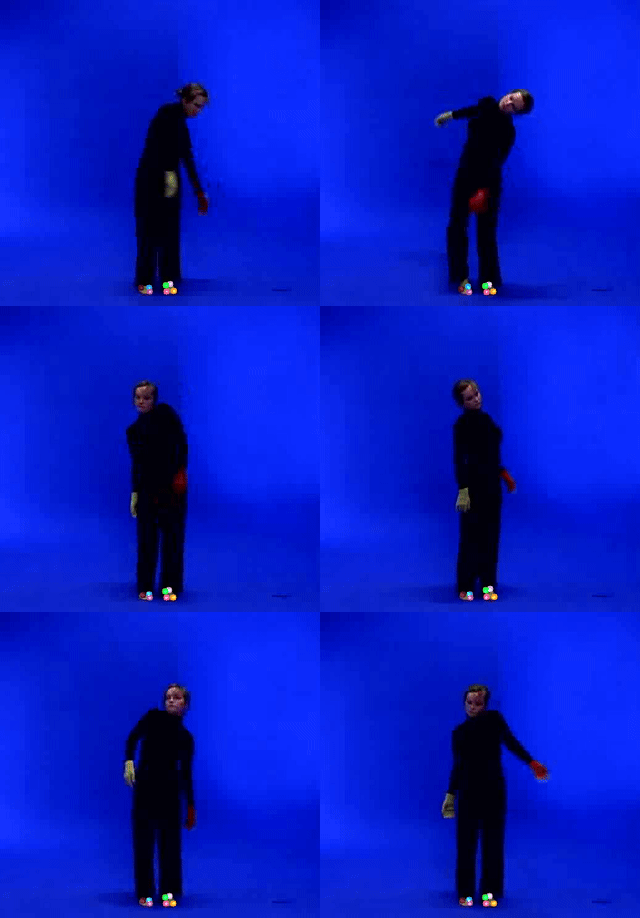
mv.flow.sparse()—tracked feature points and their trajectories.
Eulerian
Eulerian magnification
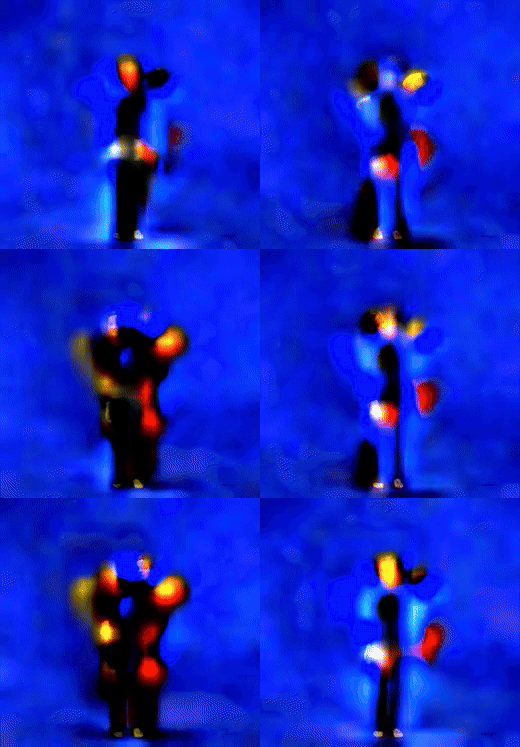
mv.motion()-style amplification of subtle, otherwise invisible motion.
Videograms & SSM
Horizontal videogram
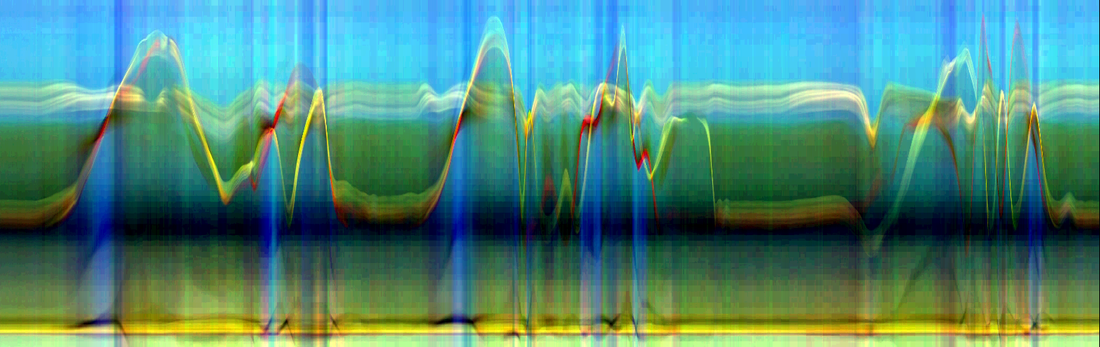
mv.videograms()[1]—raw frames collapsed over rows.
Vertical videogram
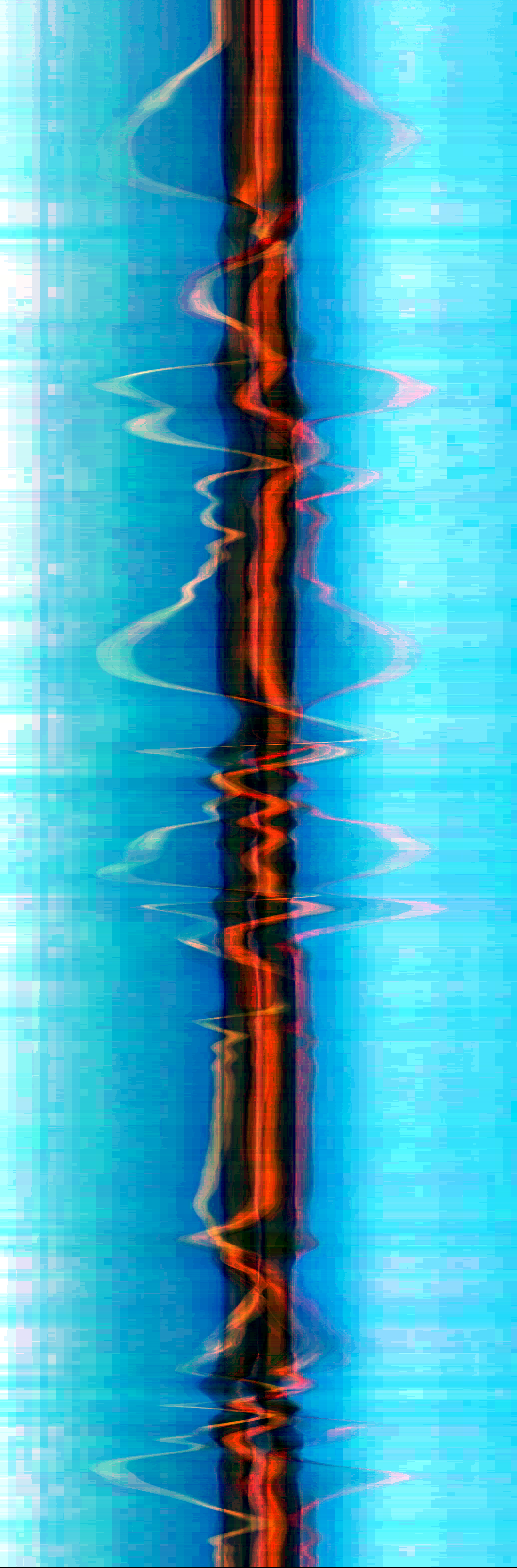
mv.videograms()[0]—raw frames collapsed over columns.
Self-similarity matrix
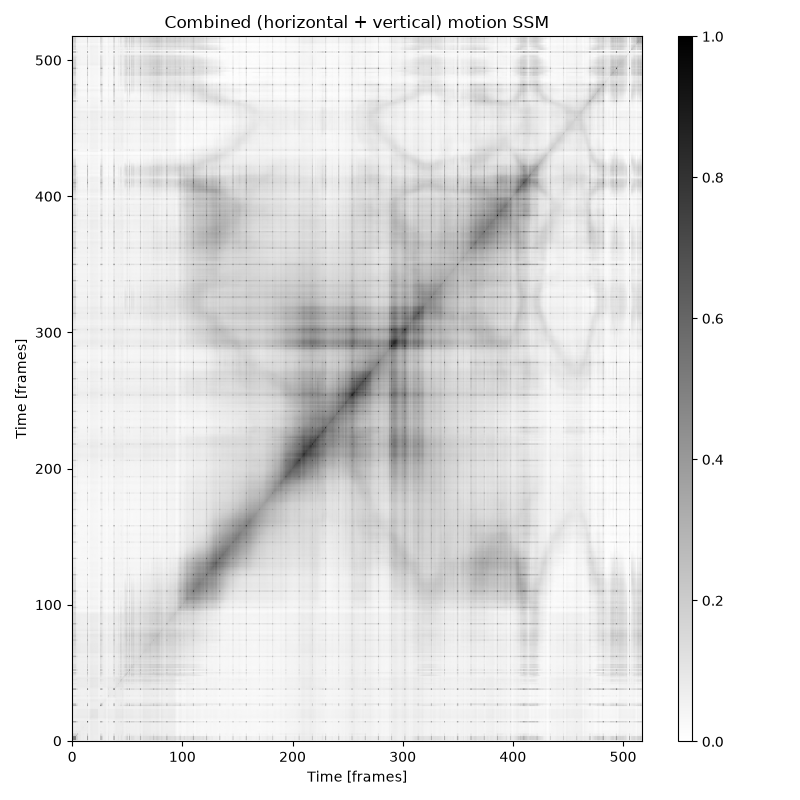
mv.ssm()—recurrence structure of the visual content over time.
Directograms & impacts
Directogram
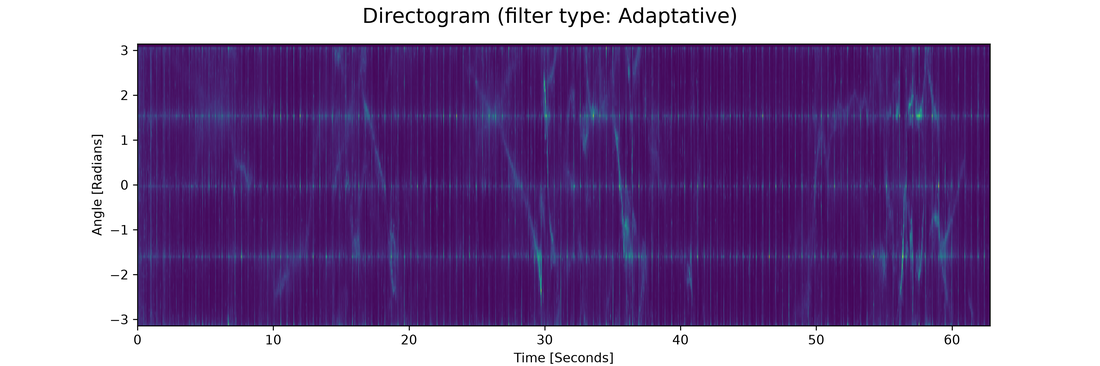
Distribution of motion directions over time.
Impacts
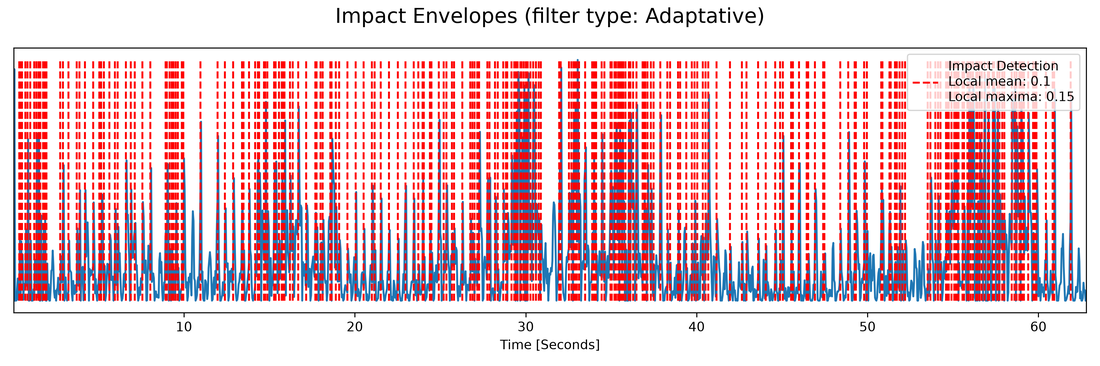
Detected motion impacts / accents.
Pose
Pose average
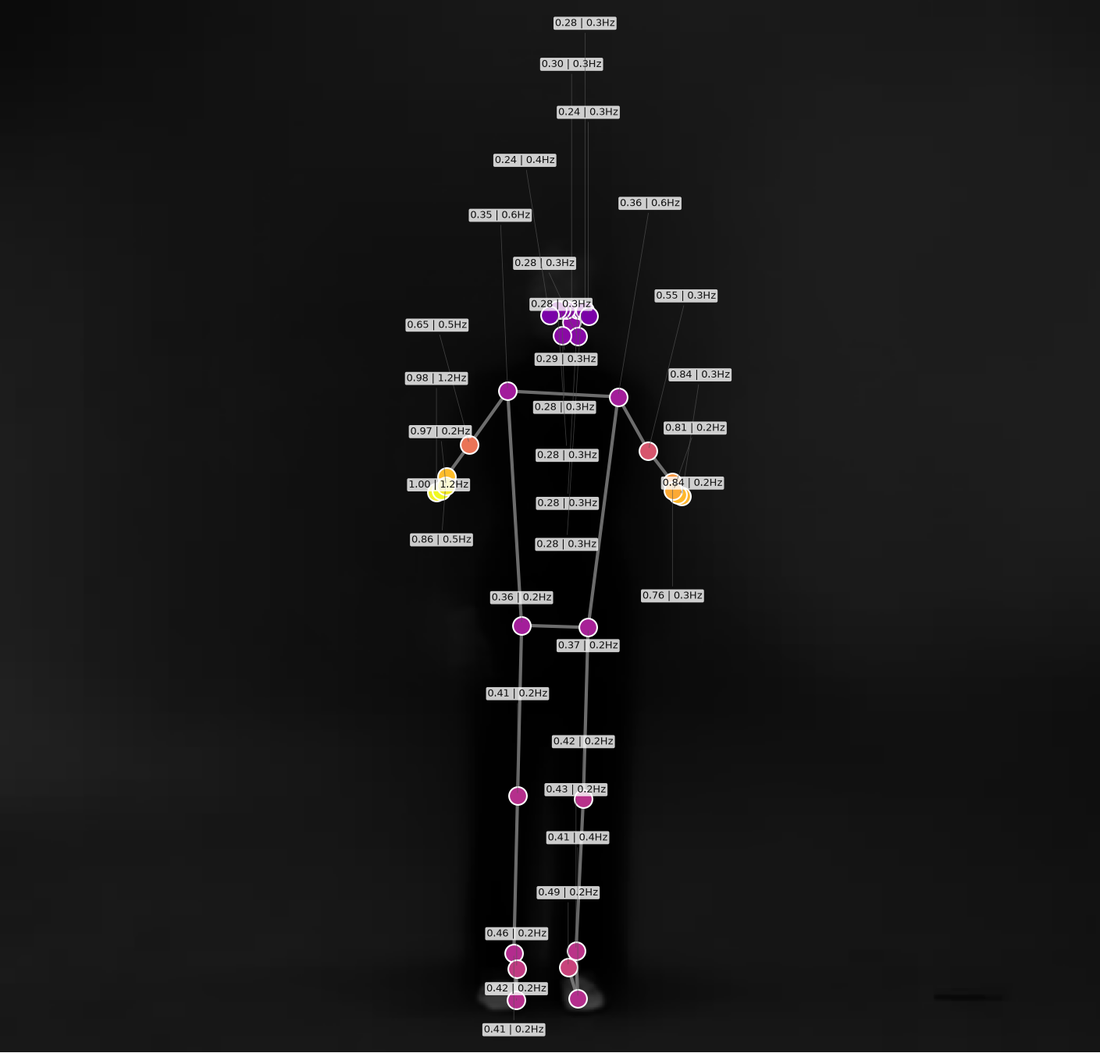
Average pose across the clip.
Pose trajectories
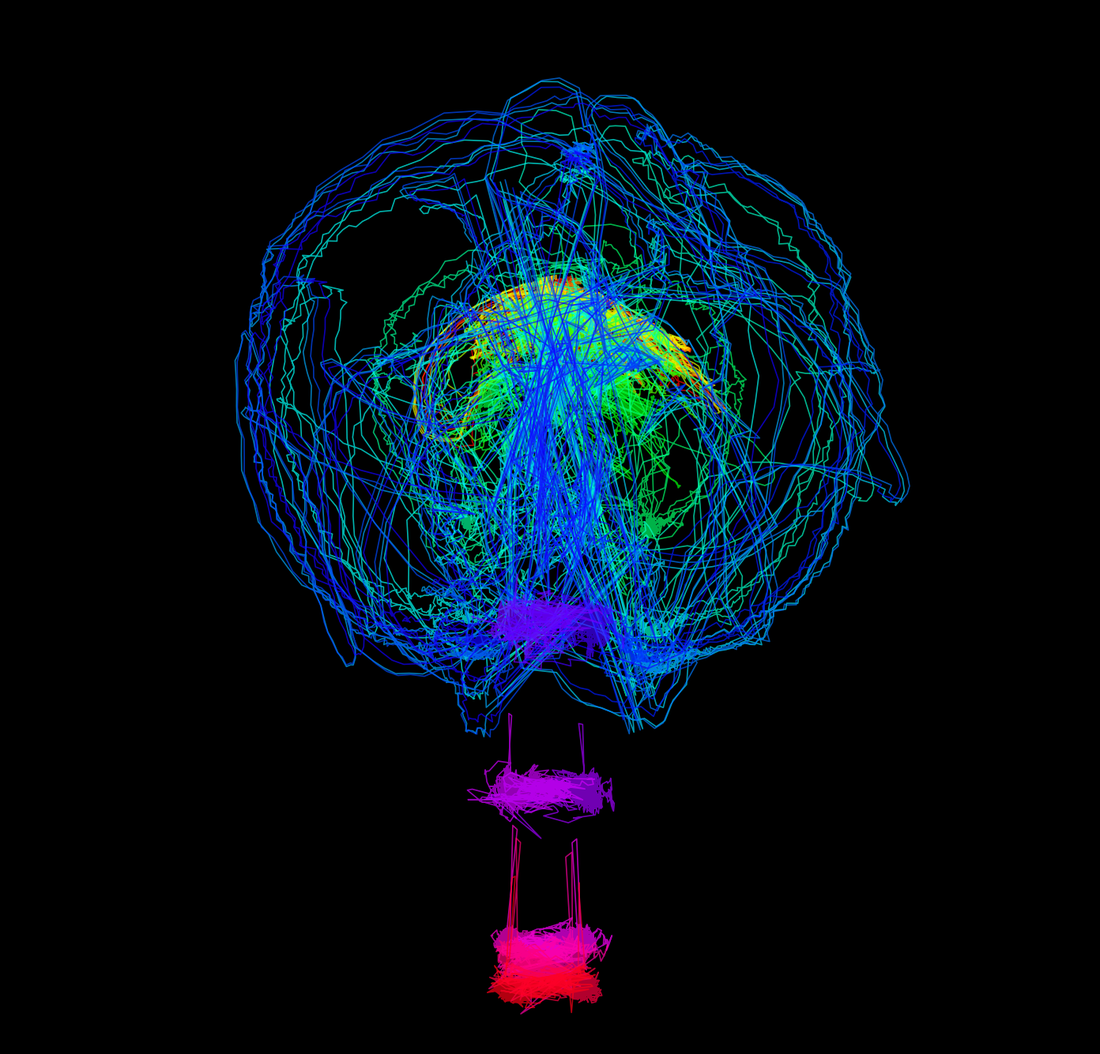
Paths traced by each tracked landmark.
Pose waterfall (trajectories)
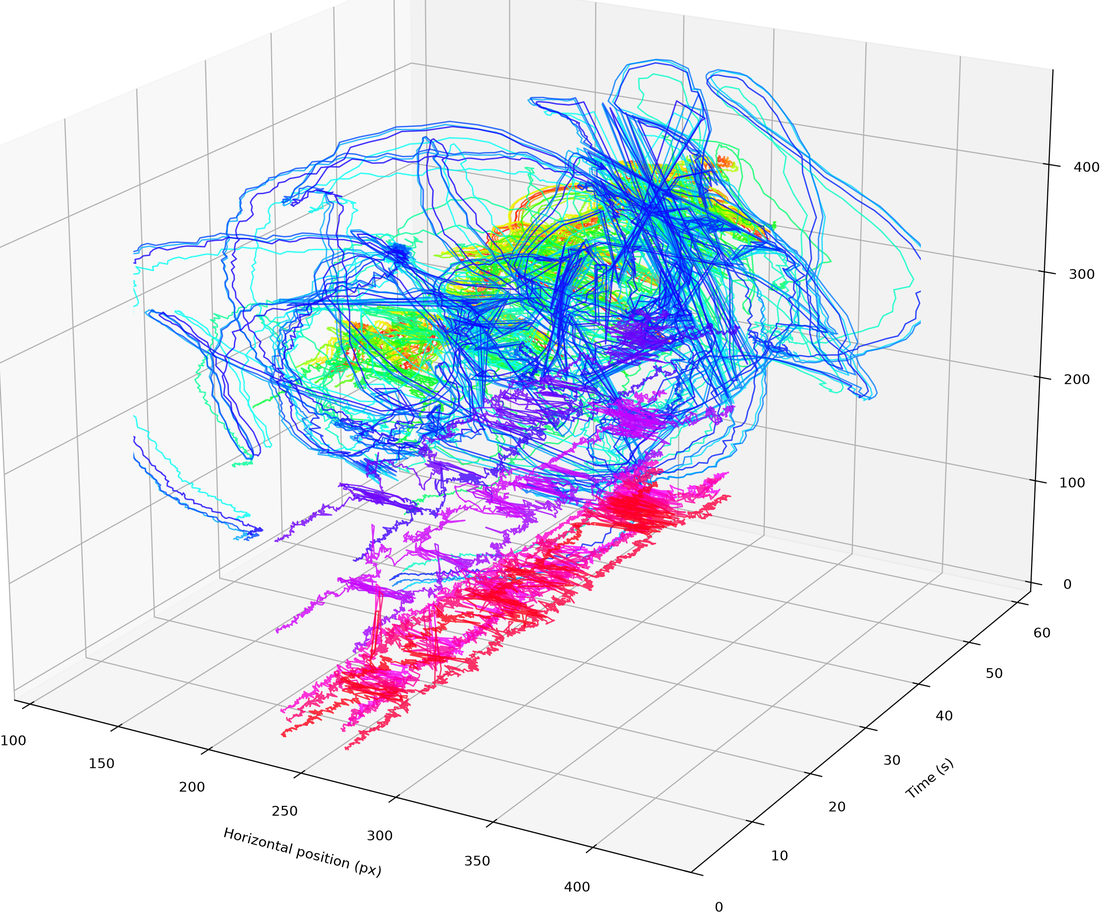
mv.pose_waterfall(style='trajectories')—3D spatio-temporal landmark paths.
Pose waterfall (skeleton)
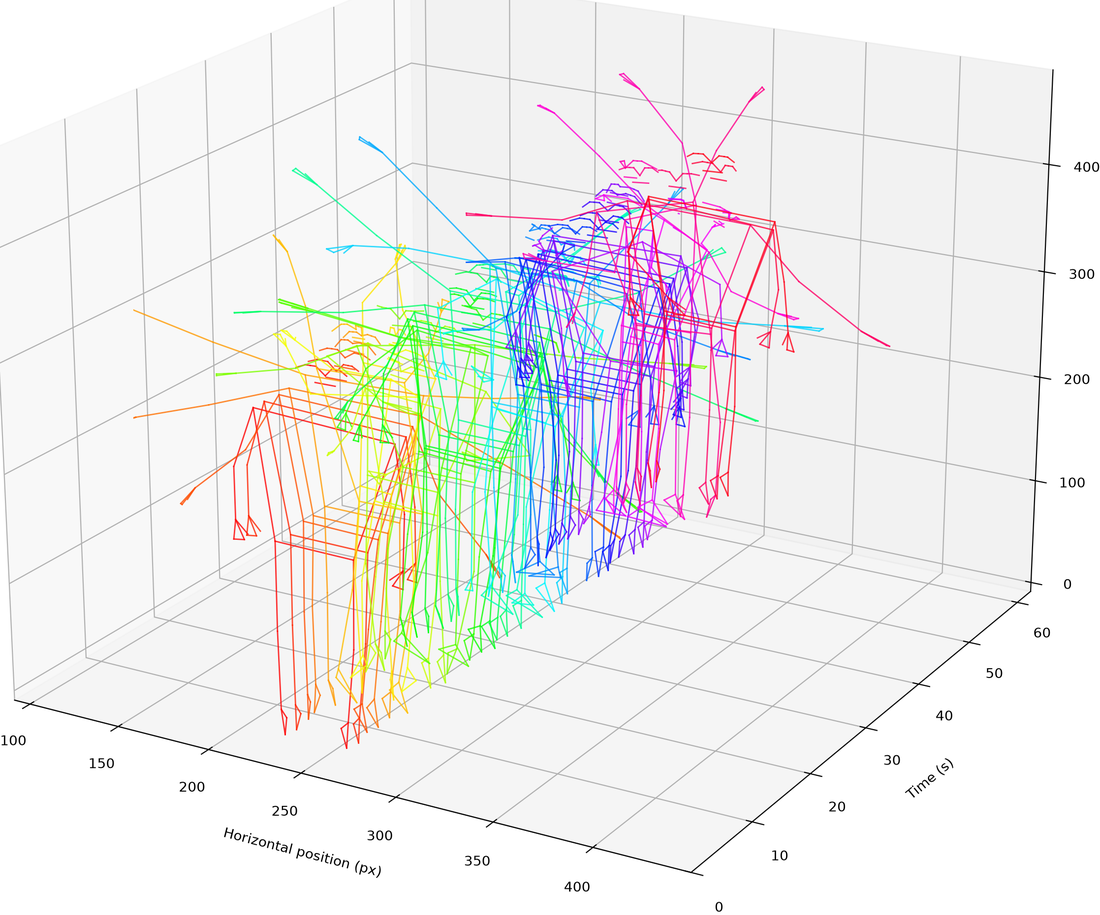
mv.pose_waterfall(style='skeleton')—stacked skeletons through time.
Pose segments
mv.pose_segments()—circular statistics per body segment.
Pose center
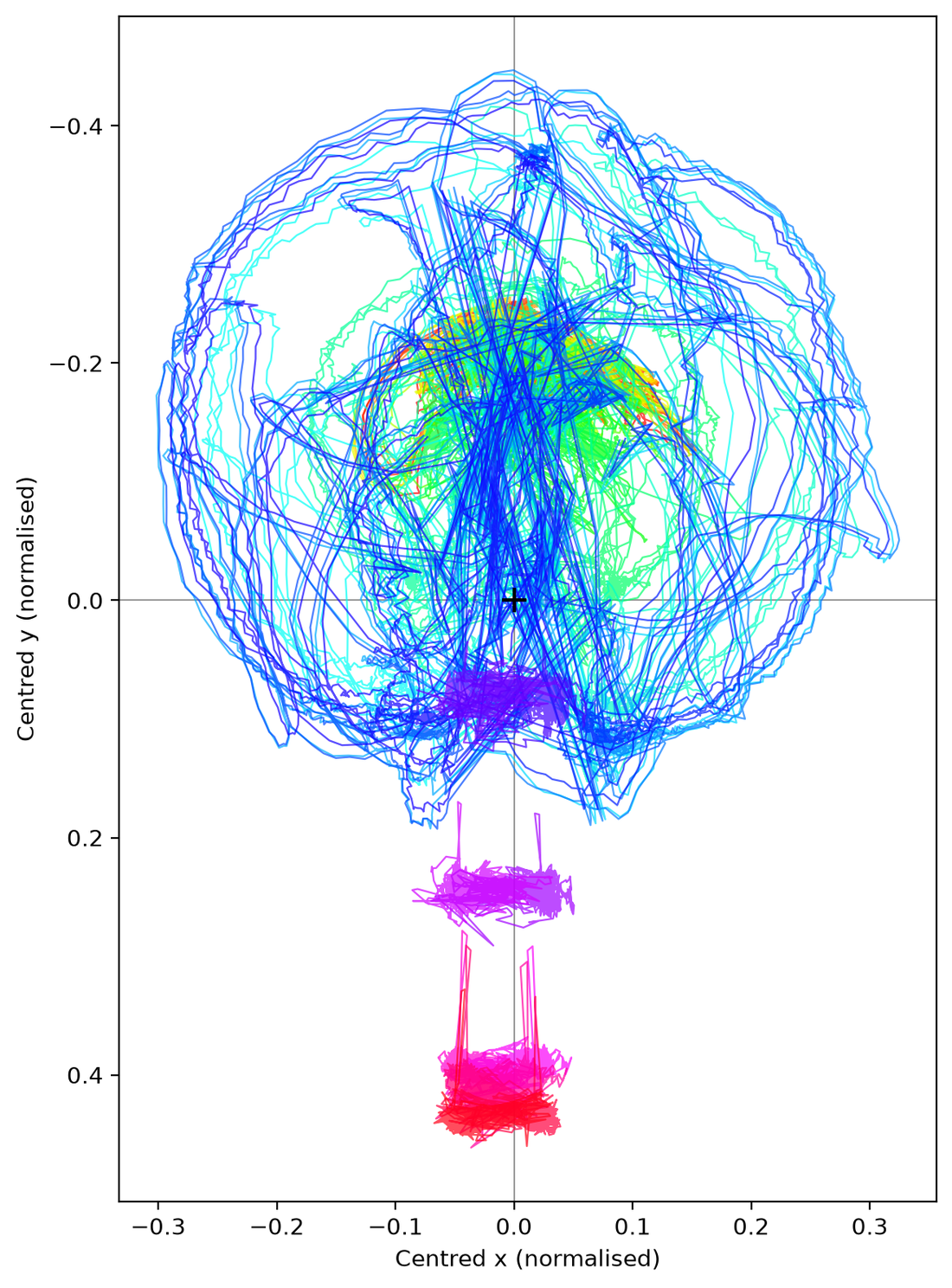
Trajectory of the body's centre of mass.
Pose distance
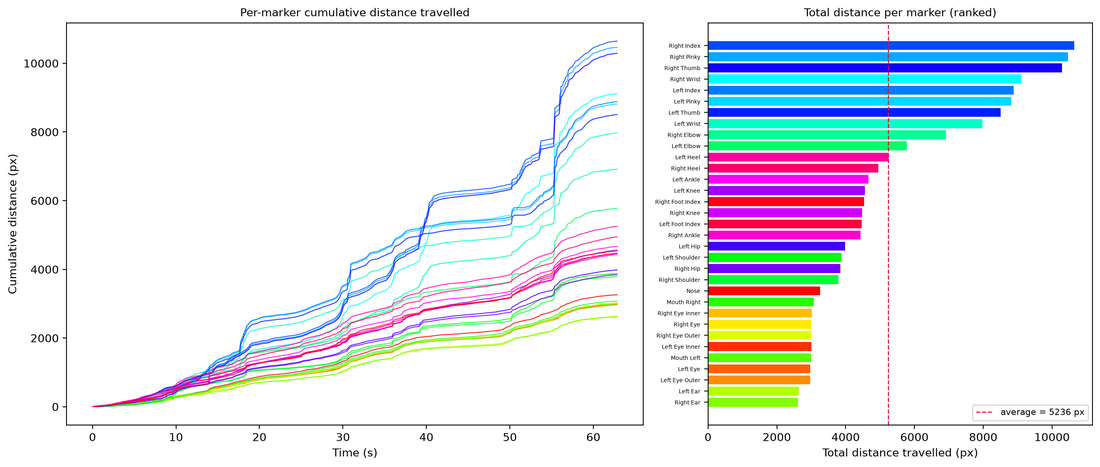
Inter-landmark distances over time.
Audio
Waveform
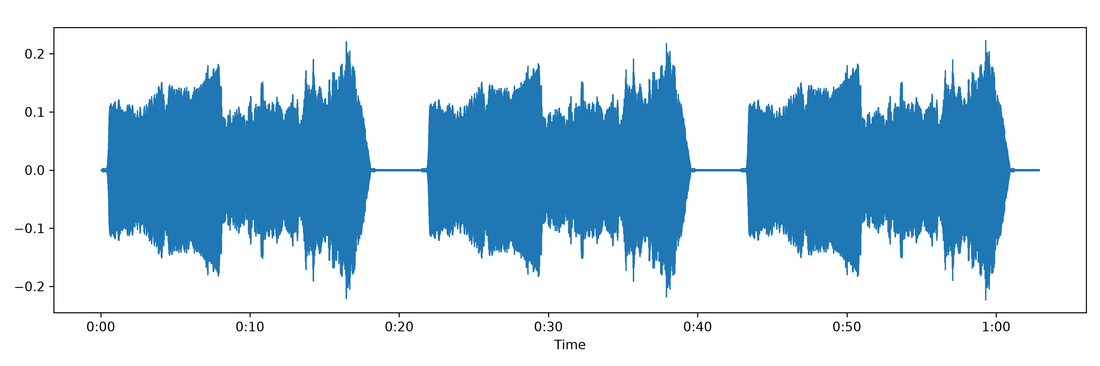
mv.audio.waveform()—amplitude envelope.
Spectrogram
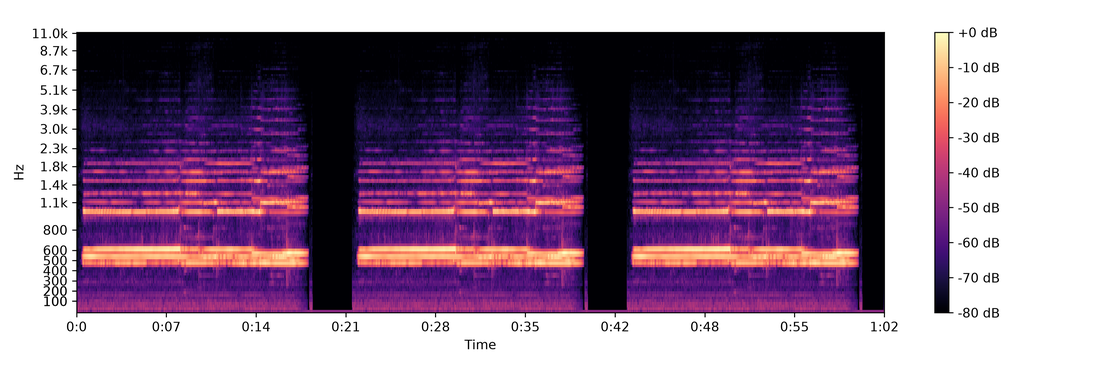
mv.audio.spectrogram()—time-frequency energy.
MFCC
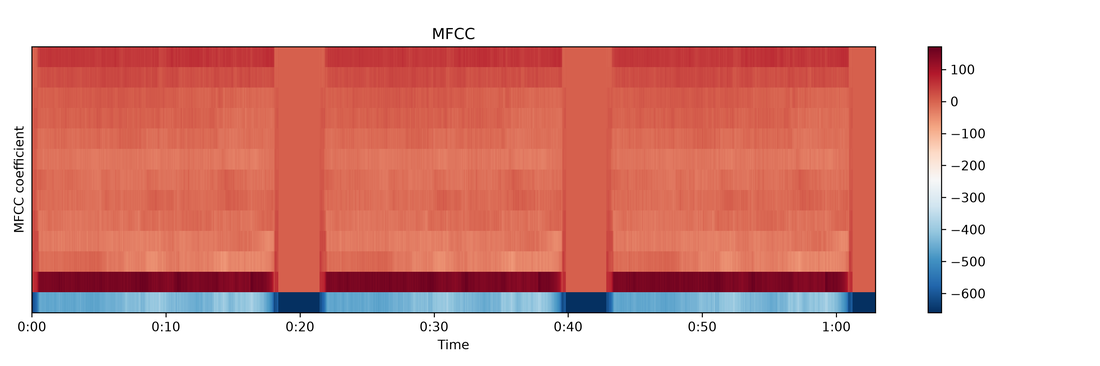
Mel-frequency cepstral coefficients.
Chromagram
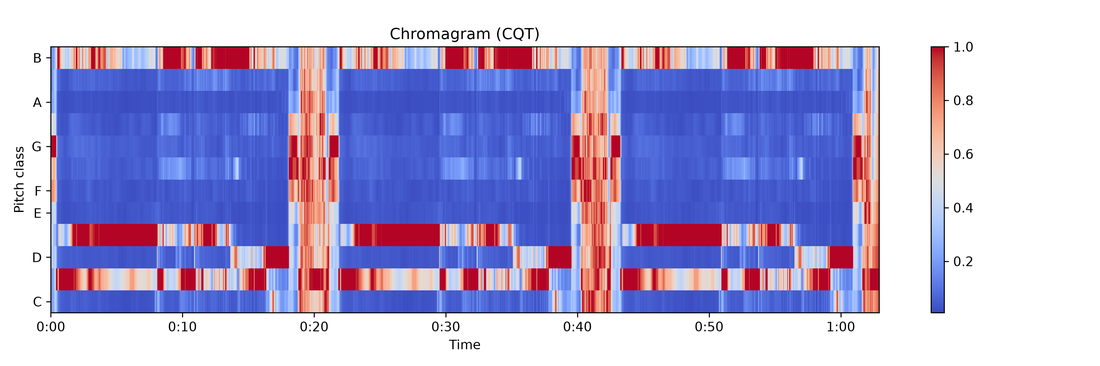
Pitch-class energy over time.
Tempogram
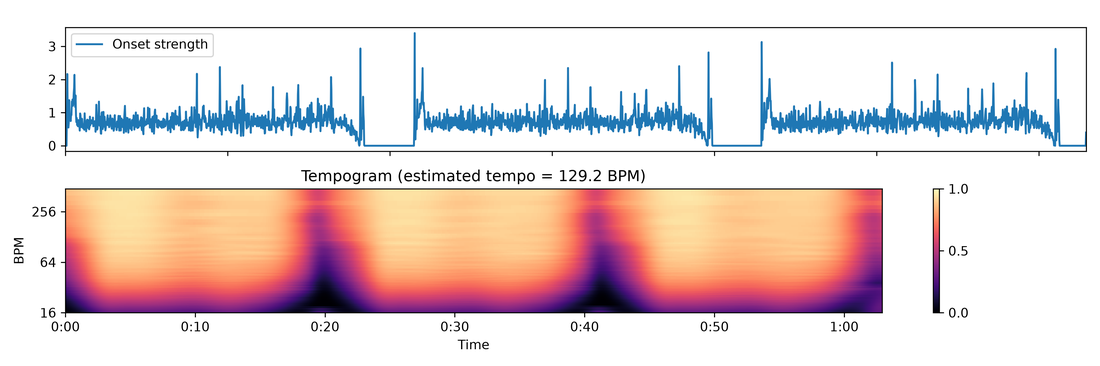
mv.audio.tempogram()—local tempo estimates.
Tempo
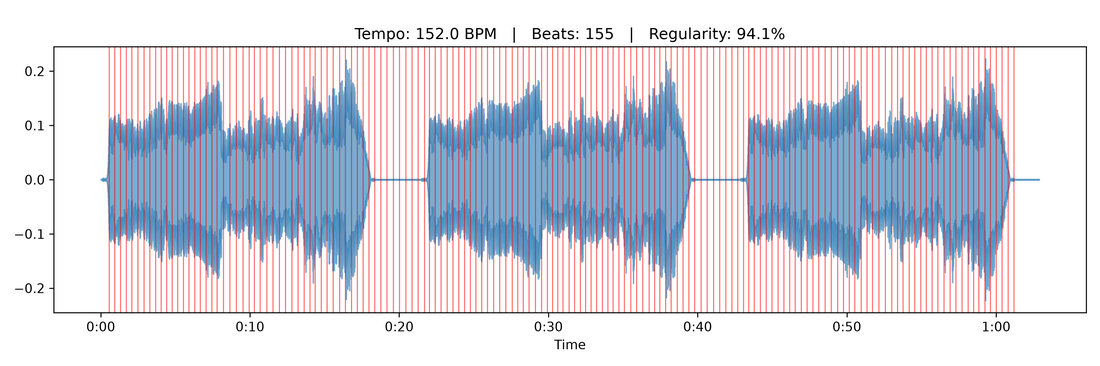
Estimated beat / tempo curve.
Audio descriptors
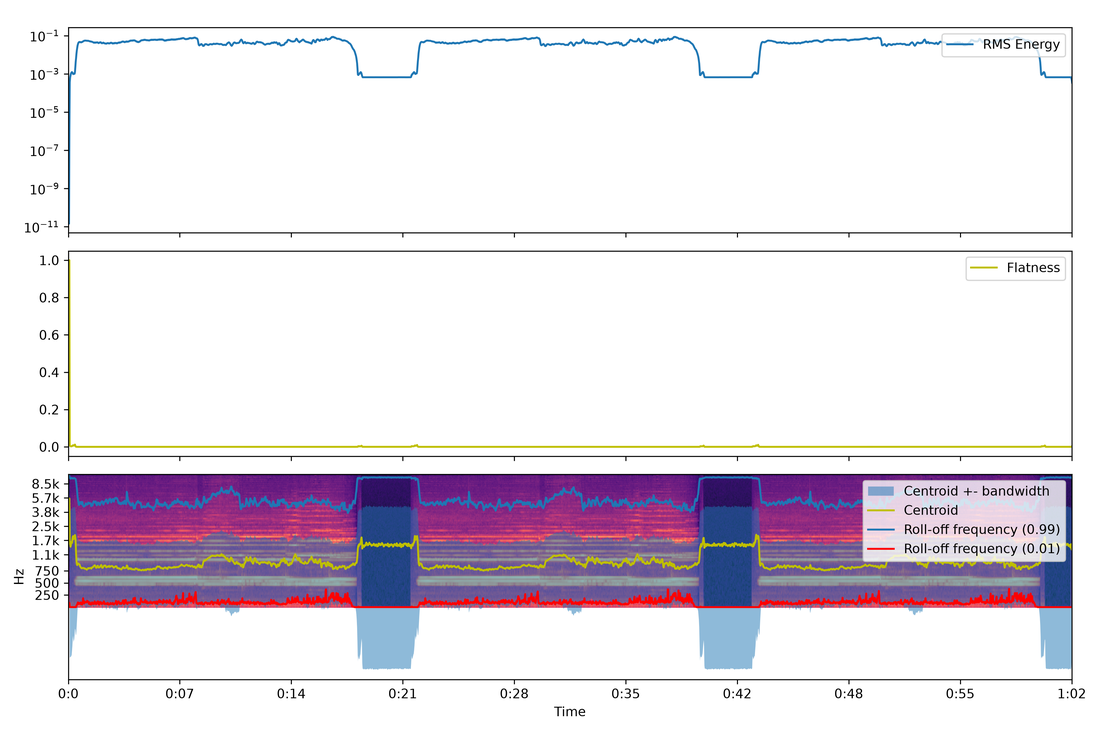
mv.audio.descriptors()—combined audio feature summary.
Audio–motion
Tempo similarity
mv.tempo_similarity()—audio tempo vs. motion tempo.
Phase synchrony
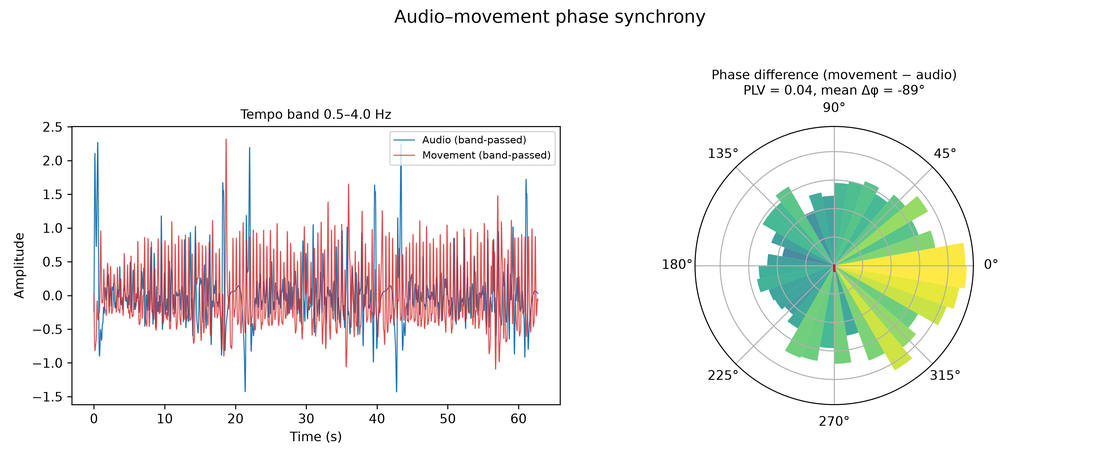
mv.phase_synchrony()—phase-locking between the audio and motion envelopes.
Structure comparison
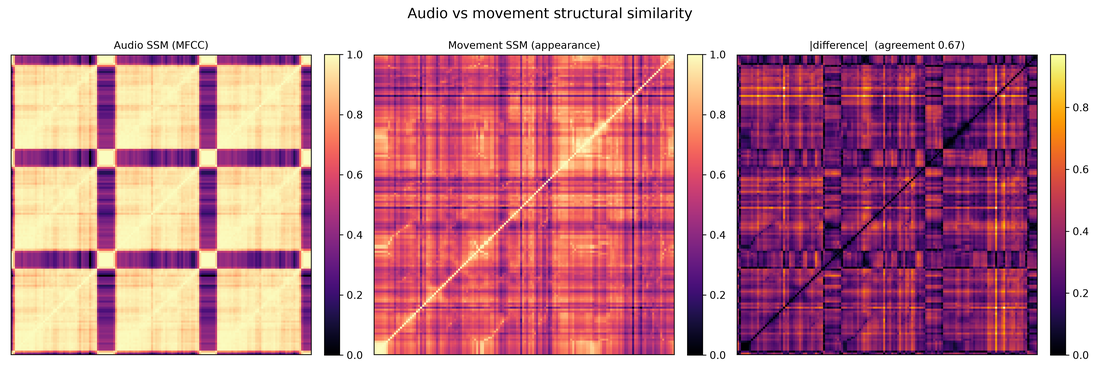
mv.structure_comparison()—audio SSM vs. video SSM.
Body–audio coupling
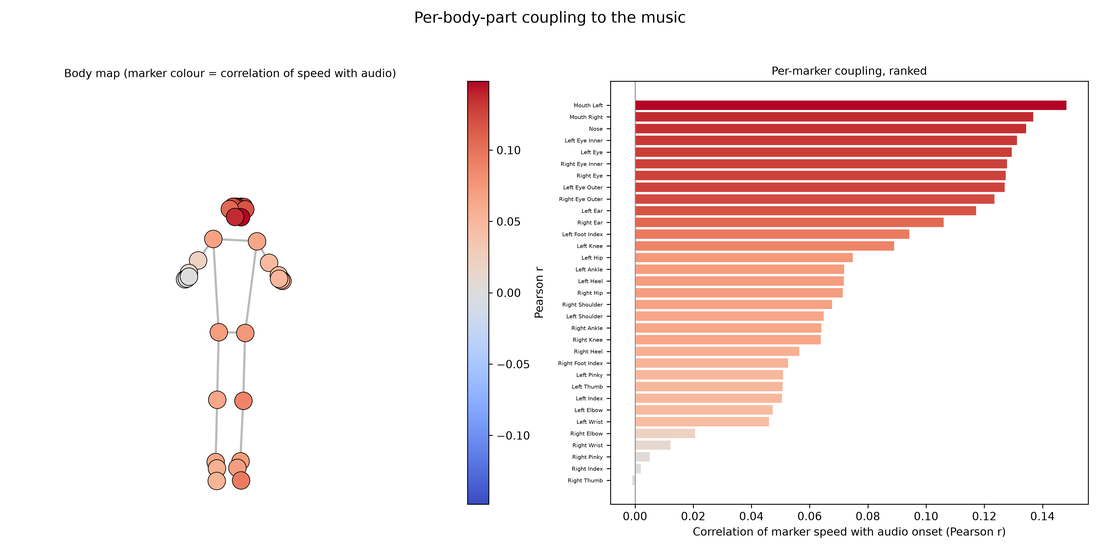
mv.motion_audio_coupling()—which body parts track the music.
Dynamics coupling
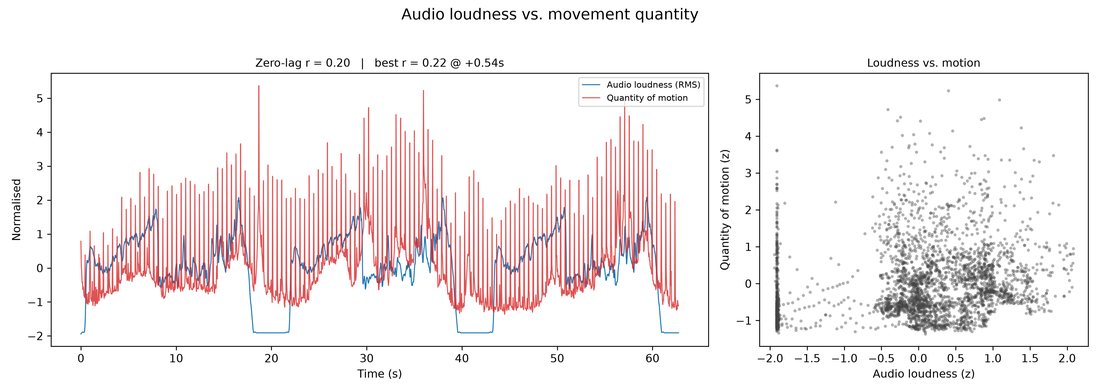
mv.dynamics_coupling()—RMS level vs. quantity of motion.
Next Steps
- User Guide—Loading, preprocessing, and all analysis methods
- API Reference—Complete function reference
- Wiki—Visual examples and how-tos