Quickstart
Run something now, with no music of your own
Everything below points at ~/Music/my-collection, which is a folder you may not have.
This builds one you do:
import musiscape as ms

root = ms.examples.demo_collection("/tmp/demo")   # two albums, three tracks each
musiscape report /tmp/demo
Two albums of synthetic tracks, one plucked and one drone, chosen so that the contrast
the analysis is meant to find is genuinely there. About 1.3 MB. Every command on this
page works against /tmp/demo, which makes it a good way to check an installation, or
to see what a command produces before pointing it at real music.
They are sine tones with envelopes, not music: useful for learning the tools, and not material for a claim about anything. The test suite builds its collection with the same function.
Collections
A collection is simply a folder tree, where every subfolder holding audio files (wav/mp3/flac/ogg/m4a) becomes an album and every file a track. No metadata tags are required: the folder structure people already keep their music in is the ground truth.
musiscape probe       ~/Music/my-collection    # list albums and tracks
musiscape report      ~/Music/my-collection    # everything → analysis/README.md
musiscape extract     ~/Music/my-collection    # features only → features.json
musiscape fingerprint ~/Music/my-collection    # per-album profile bars
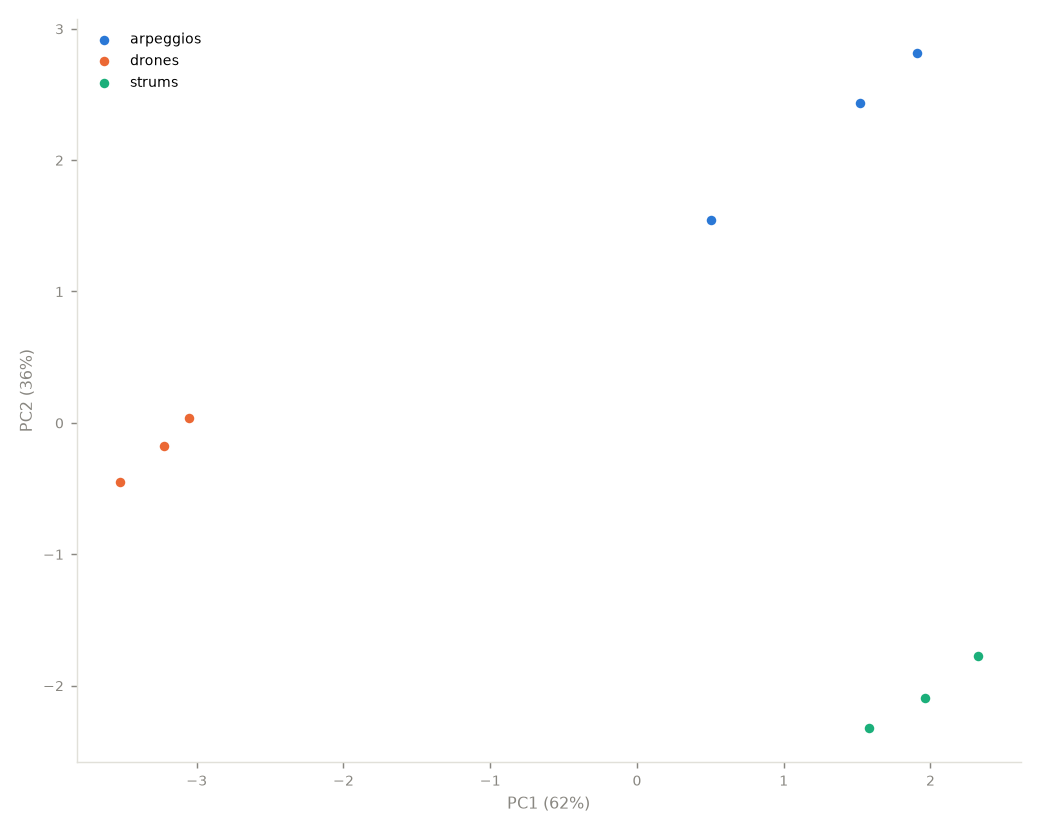
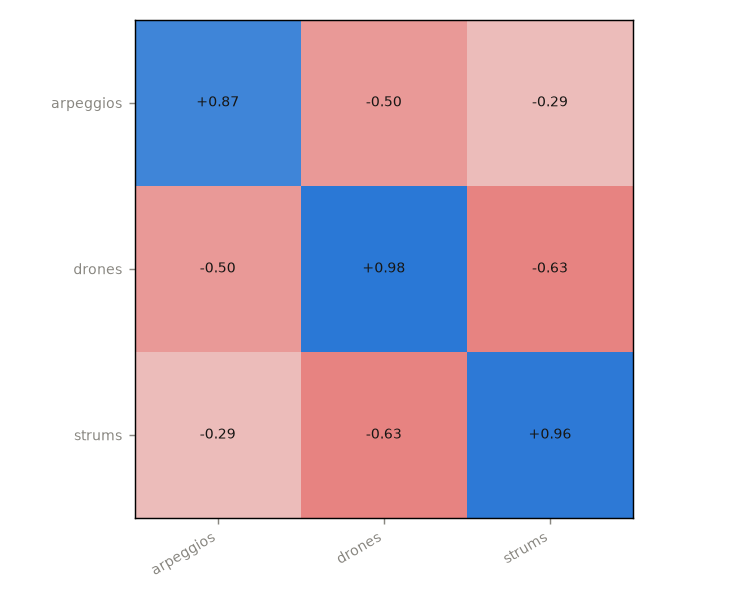
musiscape landscape   ~/Music/my-collection    # PCA map + affinity matrix
musiscape categorize  ~/Music/my-collection    # k-means with named signatures
musiscape thumbnails  ~/Music/my-collection --style combo
musiscape poster      ~/Music/my-collection    # collection barcode poster
musiscape sonic       ~/Music/my-collection    # ~12 s audio summary per track
Everything lands in <collection>/analysis/ by default (-o overrides).
Feature extraction is cached in features.json, which you can delete to
force re-extraction. --workers N parallelises; --duration S analyses
only the first S seconds per track; -k fixes the number of categories
instead of choosing it by silhouette.
report produces a per-collection README.md with an album table,
overview figures, self-explaining categories, and the corpus extremes:
In Python
import musiscape
from musiscape import features, corpus, categorize, thumbnails

coll = musiscape.open_collection("~/Music/my-collection")
f = features.load_features(features.extract_collection(coll, "analysis"))

corpus.album_stats(f)      # per-album fingerprints
corpus.similarity(f)       # track matrix + album affinity/consistency
corpus.landscape(f)        # PCA coords, variance, loadings
corpus.tonal_spread(f)     # key-space clustering per album (circular)
categorize.cluster(f)      # interpretable categories
thumbnails.render_collection(coll, "analysis", style="vinyl")